After the v3.2.1 update, the NoteExpress Web MCP is installed together with the software — no extra tools to download — so your AI client can directly read and write your local library: browse and search references, read notes and attachments, manage references, import/export, and more. The interface is provided automatically when NoteExpress Web starts; no separate command-line tool installation is needed.
There is also a
neweb-harnessSkill package that removes the need for manual configuration: it auto-connects to MCP, lets the assistant answer NoteExpress Web usage questions, and generates CSL files. See NoteExpress Web Harness.
1. How to Connect
Prerequisite: NoteExpress Web is running and logged in.
Configure in the AI Client
Open the client’s MCP settings and create a new MCP Server.
Choose type HTTP / Streamable HTTP, and enter the URL:
http://127.0.0.1:49528/mcpAfter saving, confirm it is connected; you should see the tools provided by NoteExpress Web in the conversation.
If the client uses a config file (commonly
mcp.json), add:{ "mcpServers": { "qt-mcp": { "url": "http://127.0.0.1:49528/mcp" } } }
If the client requires an explicit transport, choose
streamableHttpor an equivalent HTTP option per its documentation; the URL stays the same.
Connection Check
After saving the configuration, besides observing the tool display, you can verify the connection by sending the following instruction:
“Check the current connection and login status of NoteExpress Web”
If the AI can return the connection and login status, the connection is successful.
If there is no response or an error: confirm NoteExpress Web is running and logged in, then re-save the MCP configuration once.
Example Instructions
Just use natural language in the chat box; the AI will automatically call the relevant NoteExpress Web tools:
- “Search my library for transformer survey papers”
- “Note the key points from page 3 of this PDF to reference N”
- “Create a ‘To read’ folder and add the 10 most recent papers”
- “Add the xxx.pdf I just downloaded to my library”
2. Differences from the Old External Bridge
| Embedded MCP (this page) | Old external bridge (transition) | |
|---|---|---|
| Address | 127.0.0.1:49528/mcp |
Usually a standalone exe / other port |
| Tool prefix | qt_* |
noteExpressWeb_* / noteexpress_* |
| Startup condition | NoteExpress Web main window up after login | Depends on external process / command line |
On the agent side, only configure and call qt_*.
3. Tool List (25 in total)
Status & Browsing / UI
| Tool | Purpose |
|---|---|
qt_get_status |
Login status, library info, write-lock queue |
qt_get_ui_focus |
Read current main window focus (folder / title, etc.) |
qt_list_folders |
List folders with pagination (default limit 50; optional parent_id) |
qt_list_articles |
Browse references with pagination (optional folder_id) |
qt_search_articles |
Search by title/author/DOI/year/folder (requires login) |
qt_search_articles_by_folder |
List references by folder name (including subfolders) |
References / Notes / Attachments / PDF
| Tool | Purpose |
|---|---|
qt_get_article |
Get a single reference; mode=summary (default) or full |
qt_get_note |
Read note (note_id or paginated by article_id) |
qt_list_attachments |
List attachments and whether they exist locally |
qt_get_article_pdf_content |
Extract local PDF full text (must belong to current account) |
Type Schema
| Tool | Purpose |
|---|---|
qt_list_article_types |
List reference types |
qt_get_article_type_fields |
Get the writable/readable field schema for a type |
Writing & Organizing
| Tool | Purpose |
|---|---|
qt_save_note |
Create/update Markdown note |
qt_save_articles |
Batch create references (JSON; optional type schema) |
qt_update_article |
Update fields of an existing reference |
qt_create_folder |
Create folder |
qt_delete_folders |
Soft-delete folder to Trash (and unlink associations) |
qt_link_articles |
Link to folder (keeps original associations) |
qt_move_articles |
Move to folder |
qt_delete_articles |
Soft-delete to Trash |
qt_import_formatted |
Import RIS/BibTeX, etc. |
qt_import_pdf |
Create reference from local PDF (save + attachment) |
qt_export_articles |
Export to RIS/BibTeX, etc. text |
qt_attach_file |
Attach local file as attachment (not uploaded to cloud) |
qt_dedupe_articles |
Deduplication preview / soft-delete duplicates |
Historical Version Archive
Project Address
https://github.com/aegean-org/qt-mcp
Project Introduction
NoteExpress Web MCP aims to connect the NoteExpress Web local database with different AI assistants via the Model Context Protocol (MCP), supporting natural-language-driven professional academic queries.
Note: If multiple accounts have been logged in, it will call the data of the currently logged-in account or the last logged-in account.
Features
- Paper search: Search academic papers by title or author, with pagination support
- PDF text extraction: Extract text content from PDF files
- Folder management: Retrieve papers from specific folders
- Note saving: Markdown-format note management system
System Requirements
- NoteExpress Web must be installed, recommended v2.5.0 or above
- For Linux, macOS, Windows
Quick Start Guide
Download
Go to the project’s Releases page to download the latest binary package:
- Windows: Download
qt-mcp-windows.zip - macOS: Download
qt-mcp-darwin.zip - Linux: Download
qt-mcp-linux.zip
Extract & Install
Extract the downloaded archive to a directory of your choice, for example:
- Windows:
C:\Program Files\ - macOS:
~/Downloads/ - Linux:
/usr/local/bin/or~/bin/
MCP Client Configuration
Add the following configuration in the MCP of a supported AI client:
{
  "mcpServers": {
    "noteexpress-web-mcp": {
      "name": "NoteExpress Web",
      "type": "stdio",
      "description": "Academic paper management and research assistant tool",
      "command": "/path/to/qt-mcp.exe",
      "args": []
    }
  }
}
For example:
| Step | Screenshot |
|---|---|
| Find MCP settings in the AI client | 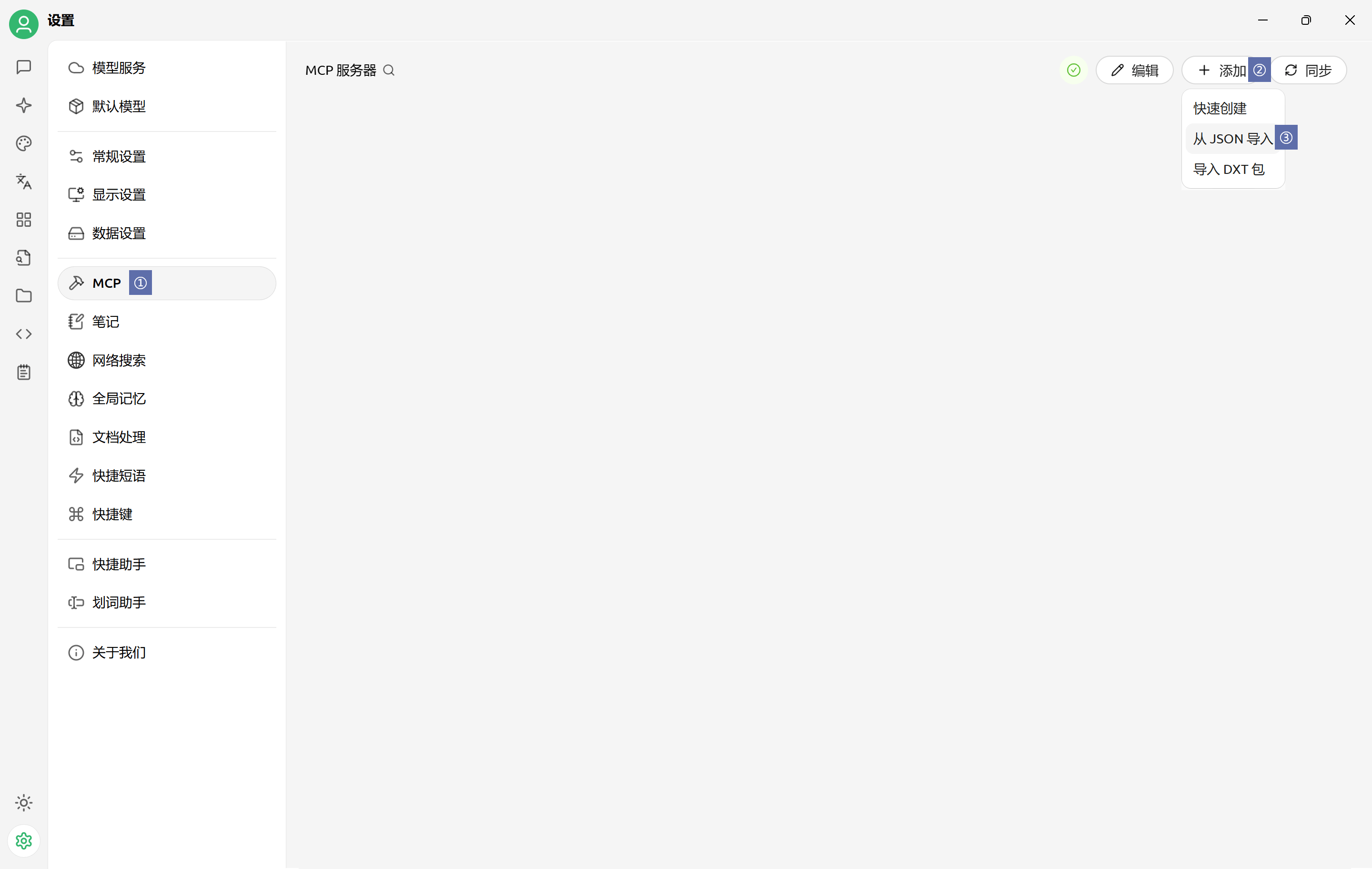 |
| Choose JSON import when adding | 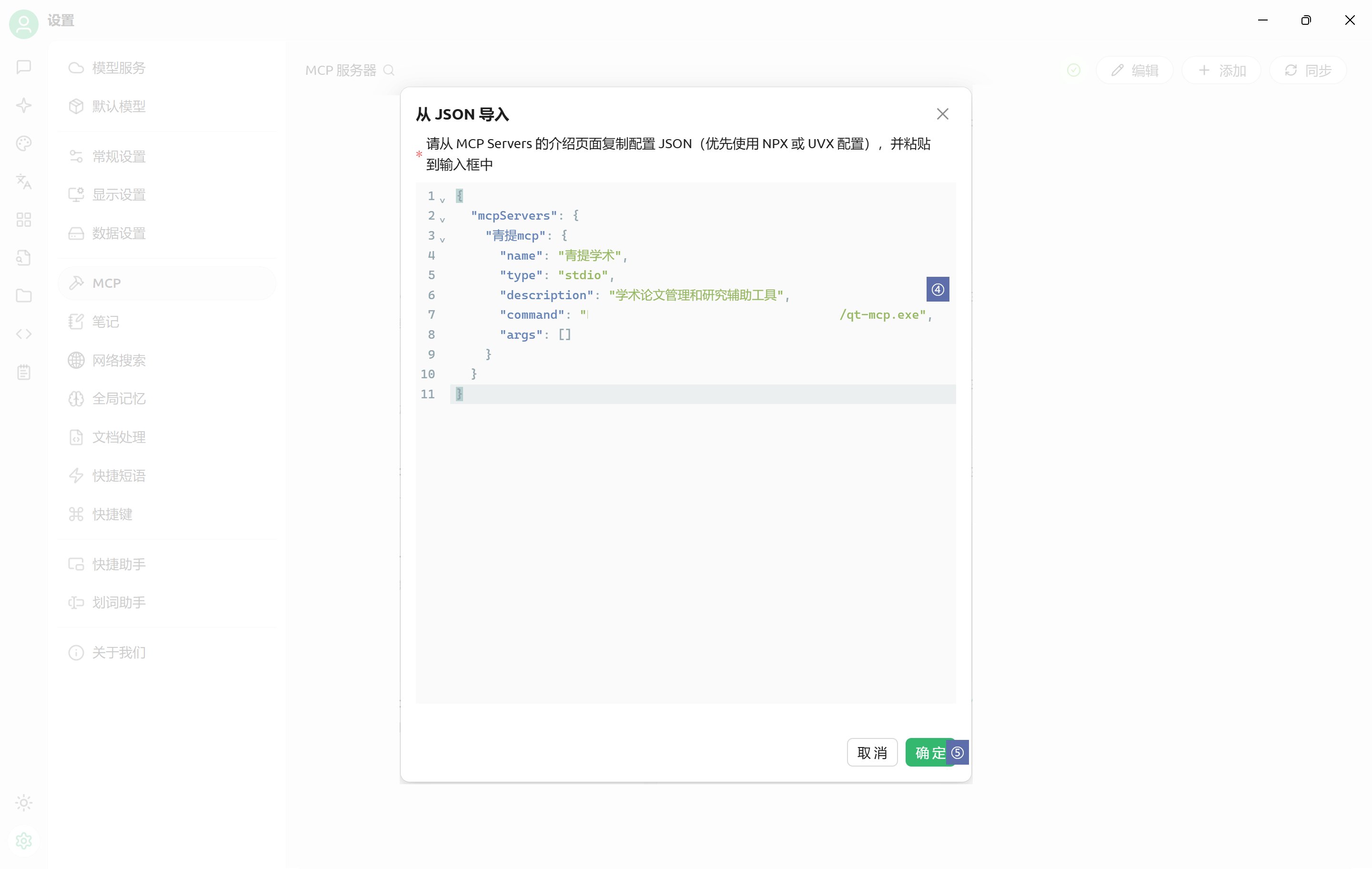 |
| View in server list after adding | 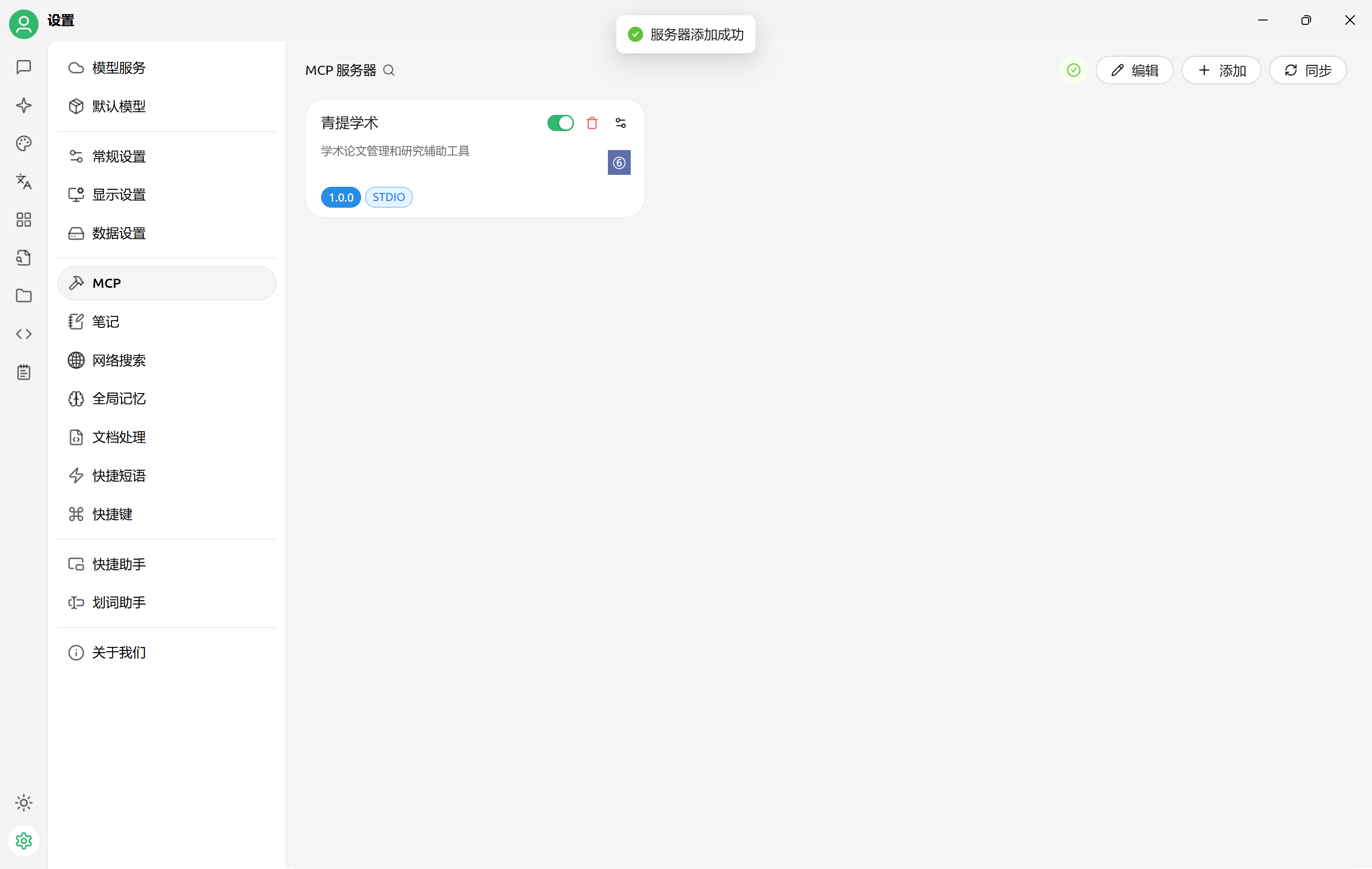 |
| Select NoteExpress Web MCP when asking | 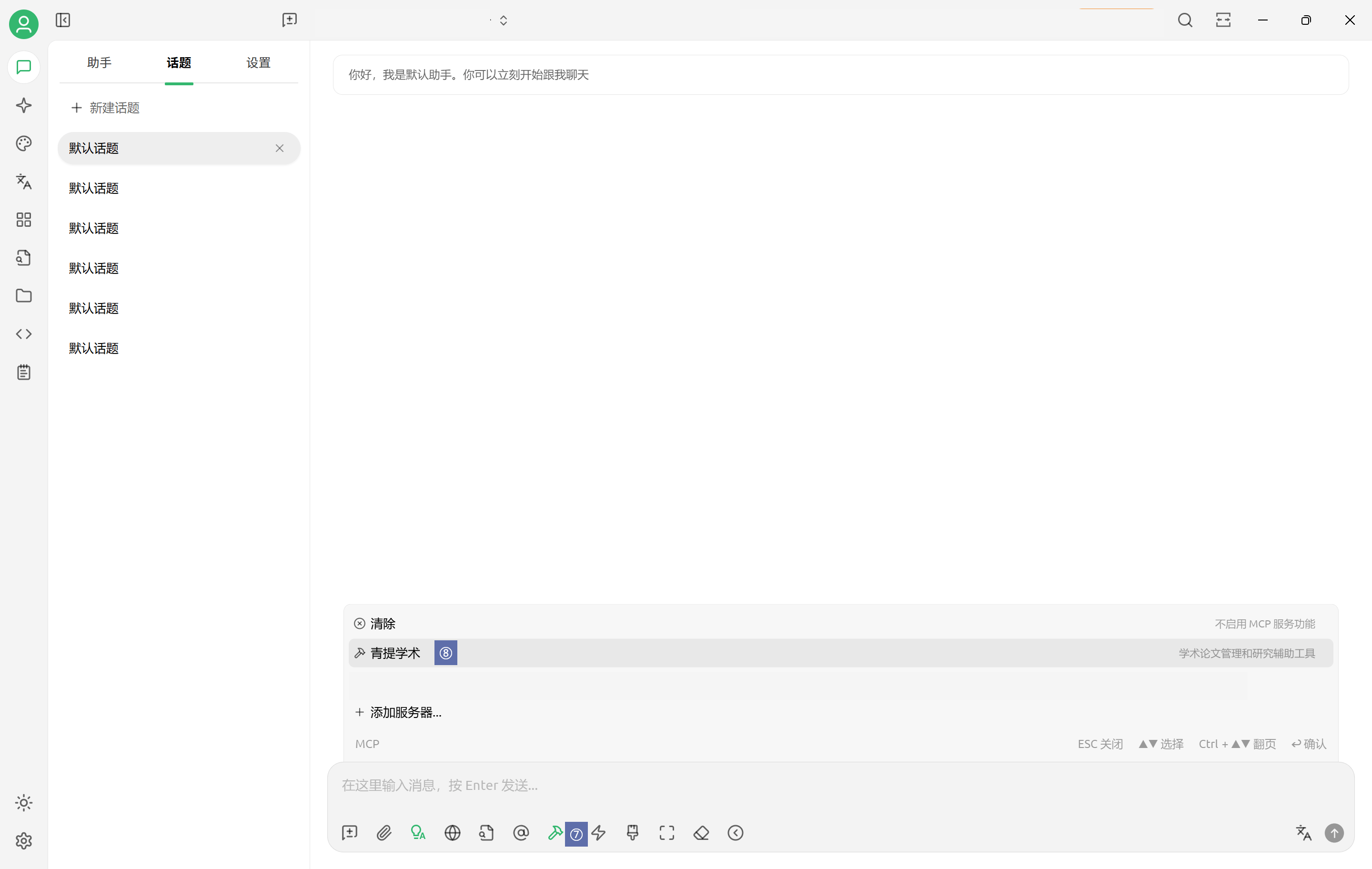 |
Usage Examples
- “Help me find all literature about ‘artificial intelligence’ in my NoteExpress Web”
- “Get the literature in the ‘Computer’ directory of NoteExpress Web”
| Feature | Screenshot |
|---|---|
| Feature description | 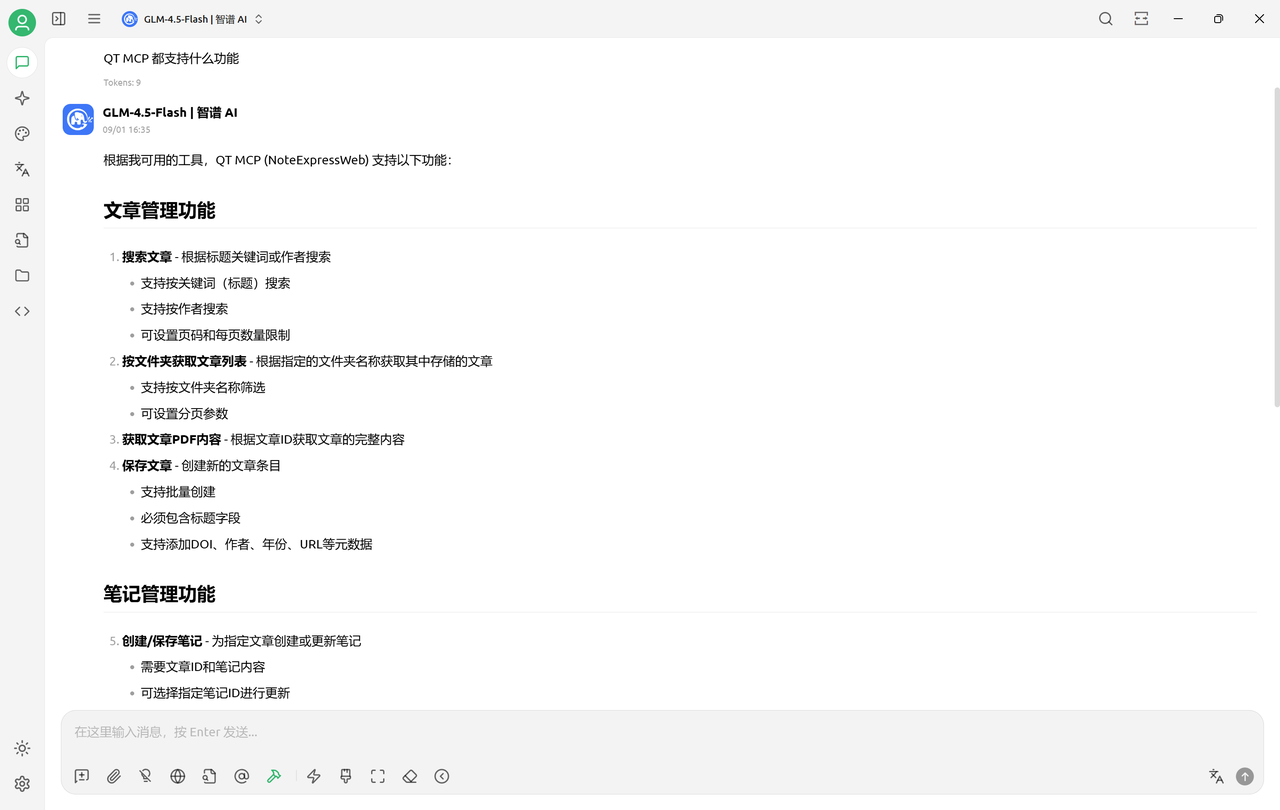 |
| Literature search | 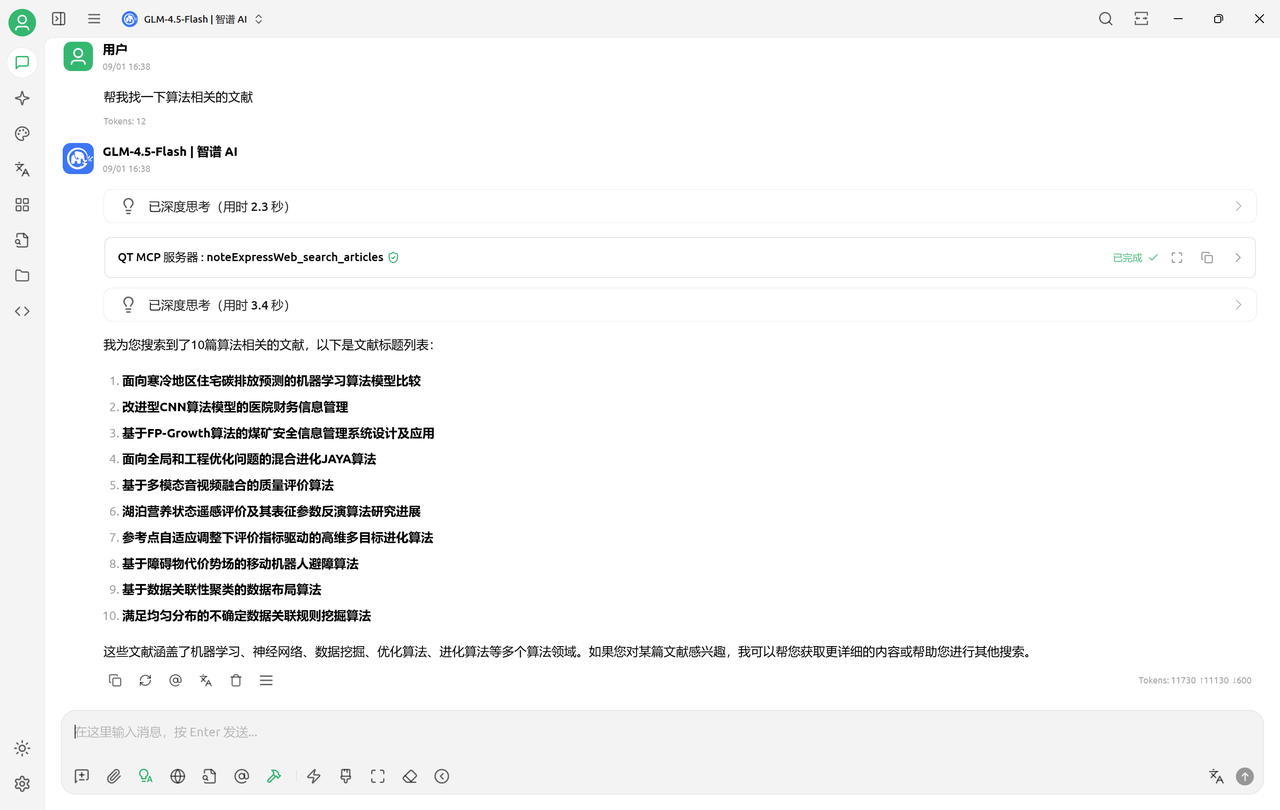 |
| Metadata view | 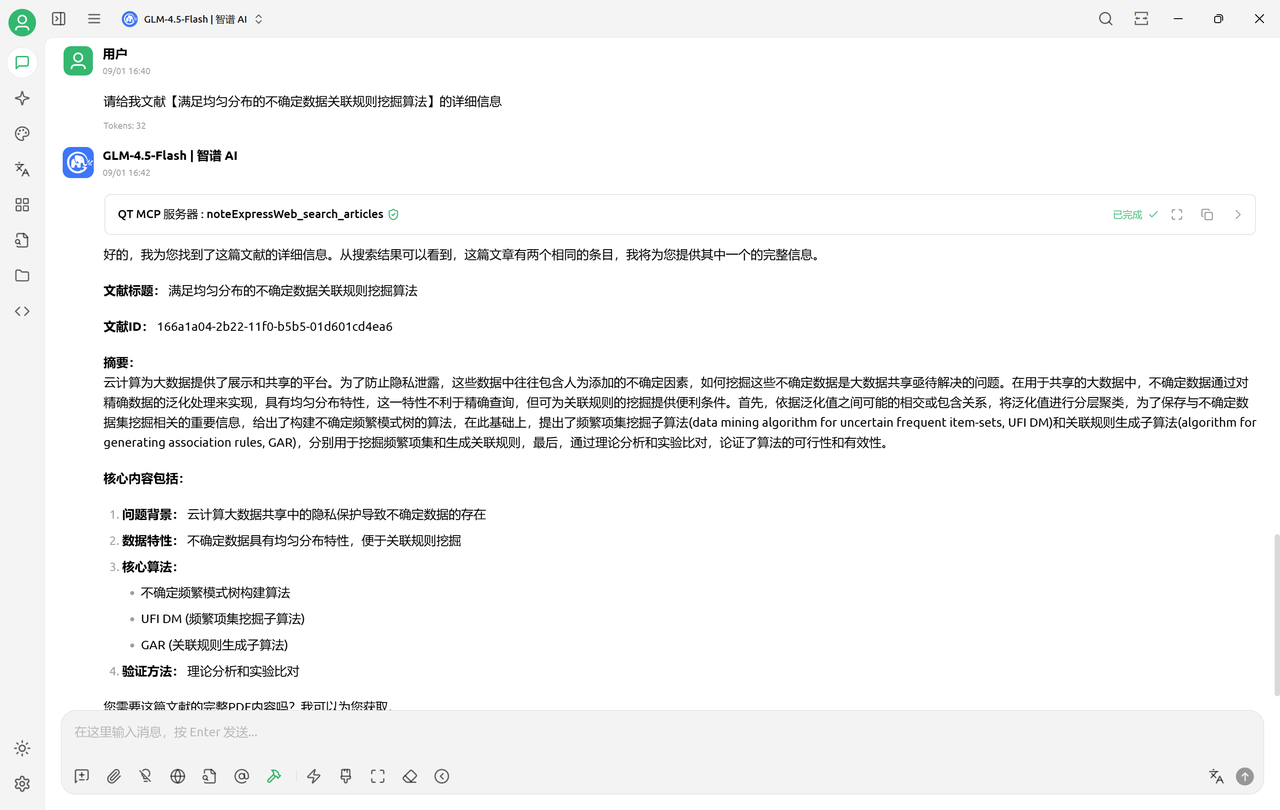 |
| Full-text read | 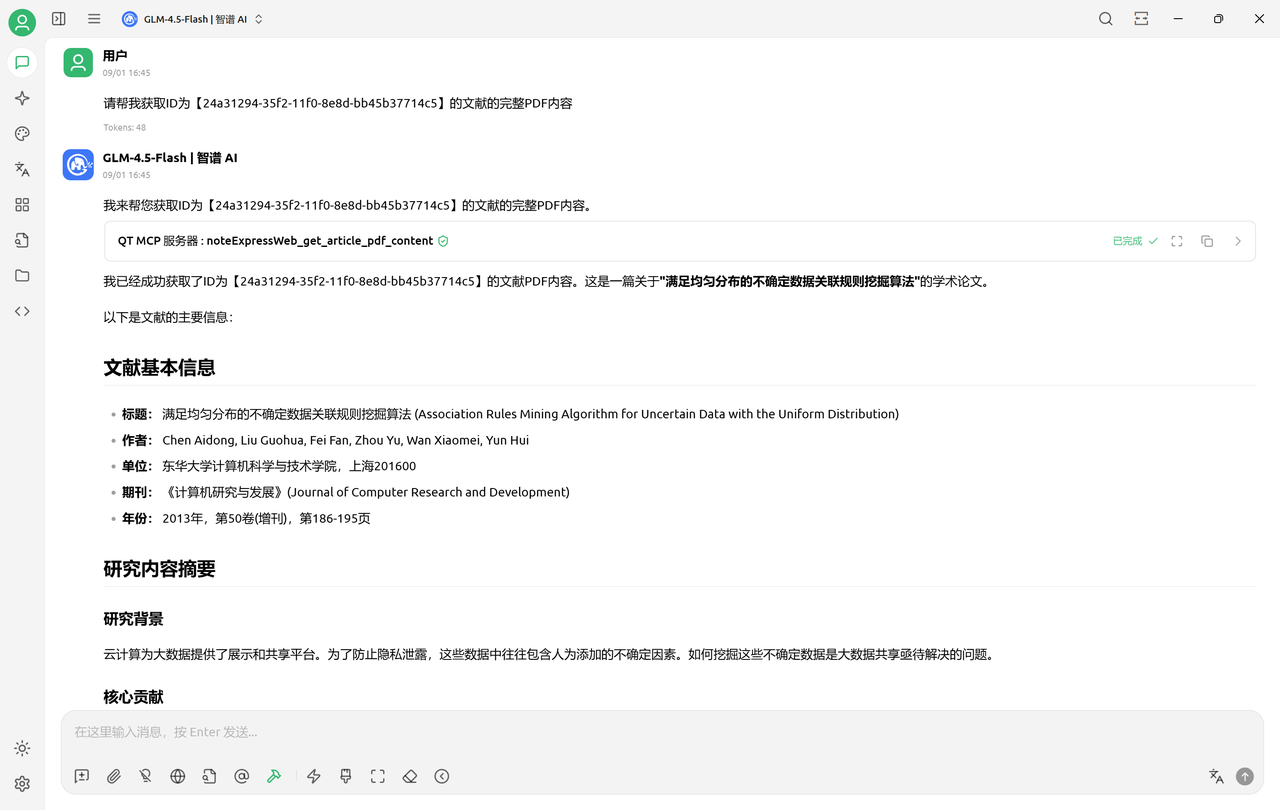 |
| Further questions based on full-text info | 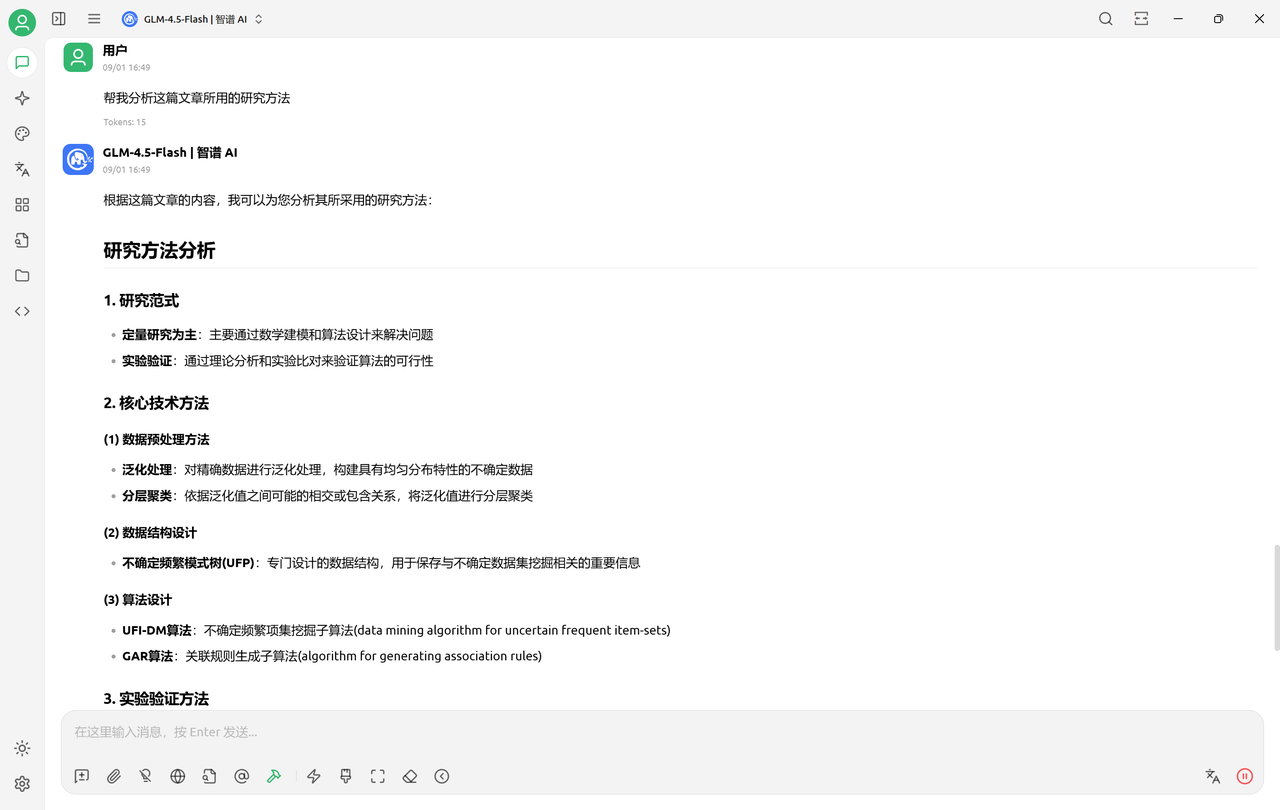 |
| Create note | 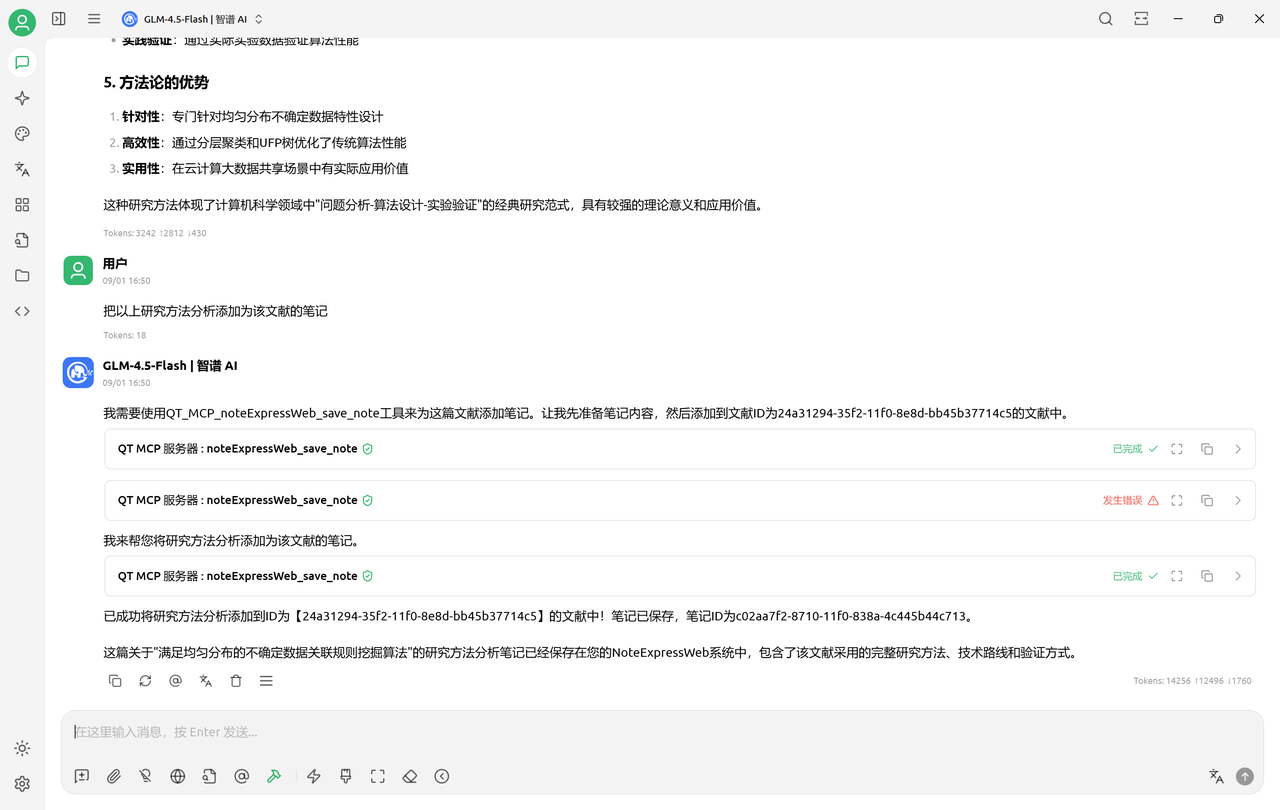 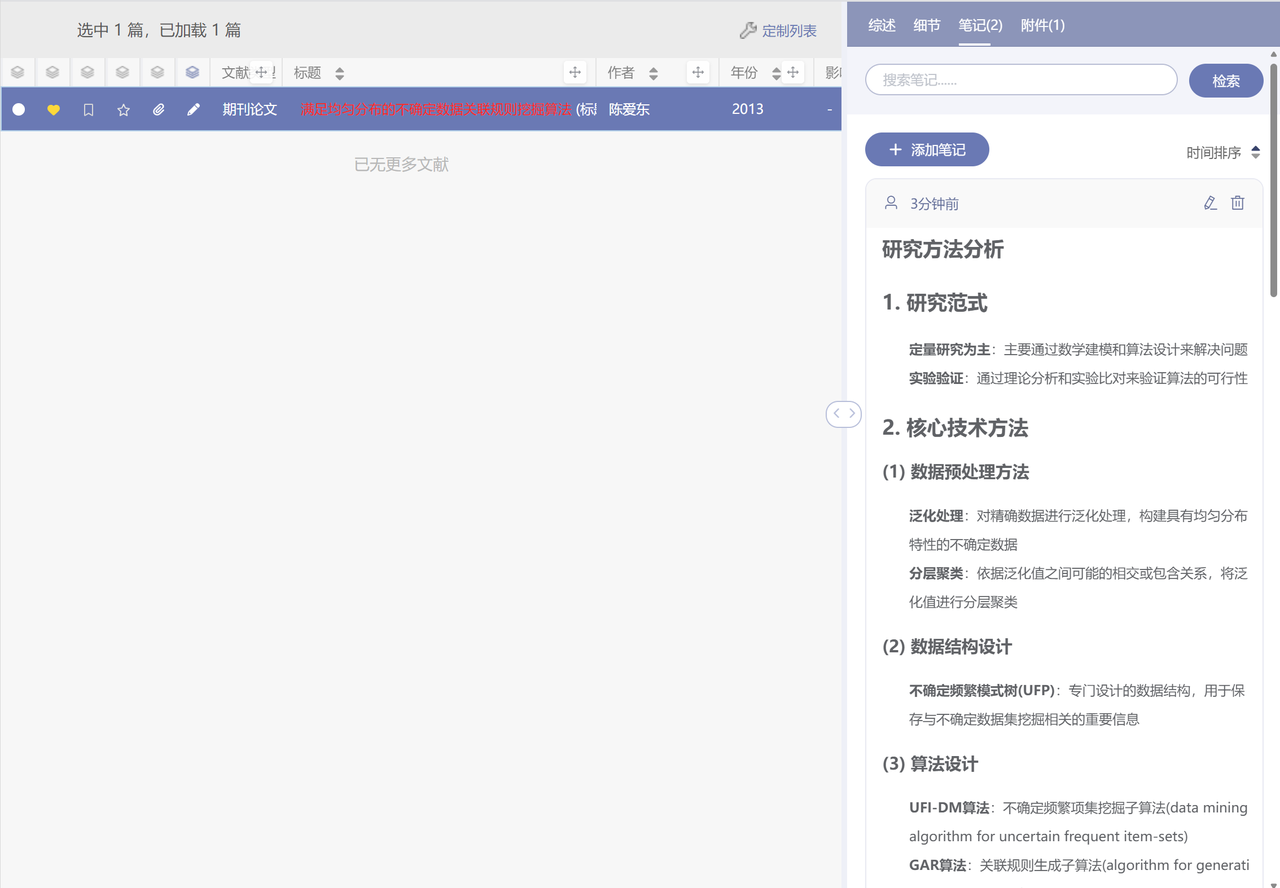 |
| Create literature | 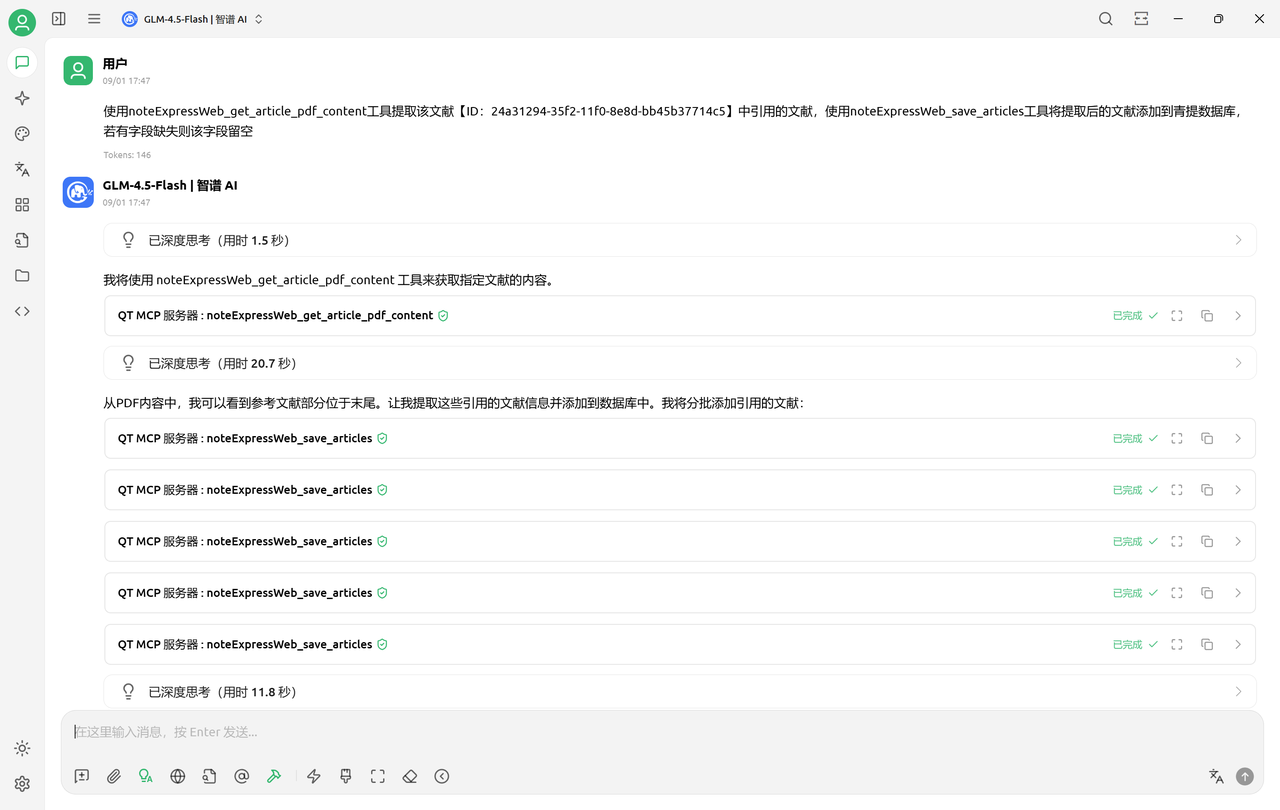 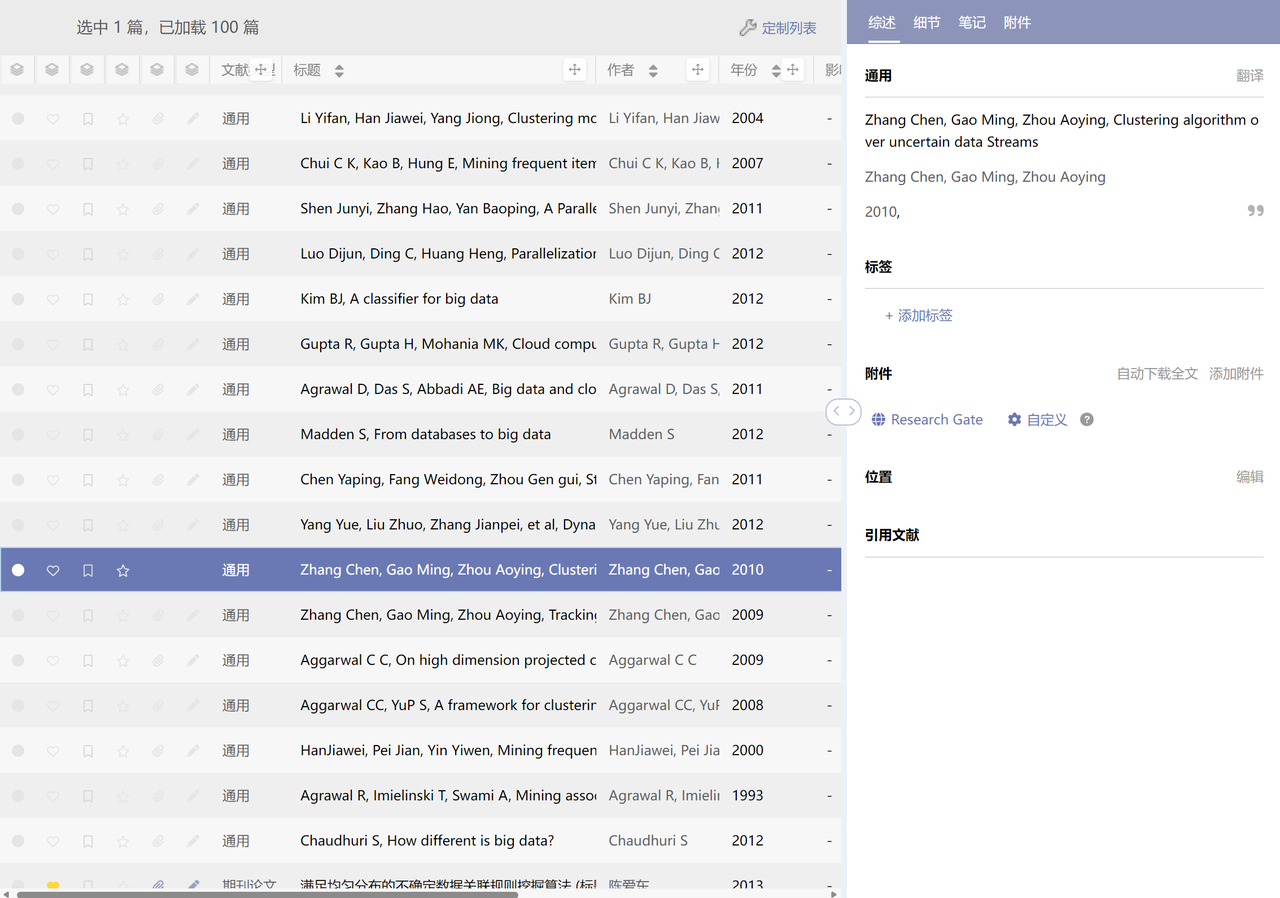 |
Available Tools
NoteExpress Web MCP provides the following 5 core tools:
1. noteExpressWeb_search_articles
- Function: Search literature by title or author
- Parameters:
query: Search keywordpage: Page number (optional)pageSize: Items per page (optional)
2. noteExpressWeb_get_article_pdf_content
- Function: Get body content by literature id/title
- Parameters:
article_id: Literature id
3. noteExpressWeb_search_articles_by_folder
- Function: Get papers in a specified folder
- Parameters:
folder: Folder name
4. noteExpressWeb_save_articles
- Function: Save the corresponding literature info to NoteExpress Web
- Parameters:
data: Saved content in JSON format
5. noteExpressWeb_save_note
- Function: Save a Markdown-format research note to the corresponding literature
- Parameters:
content: Note contentarticle id: Literature idnote_id: Note id (optional)
Supported AI Clients
Uses the Stdio protocol, supports real-time communication with AI clients
- Claude Desktop: Stdio MCP support
- Cherry Studio: Stdio MCP support
- Cursor IDE: Stdio MCP support
Troubleshooting
Common Issues
- Program won’t start: Ensure you downloaded the correct platform version
- File download failed: Check network connection and data directory permissions
- Config file not found: Confirm the data directory path is set correctly
Getting Help
If you have questions or suggestions, contact us via the project’s GitHub Issues page.
