HarmonyOS supports the use of the CSL (Citation Style Language) writing plugin within WPS Word.
WPS Word
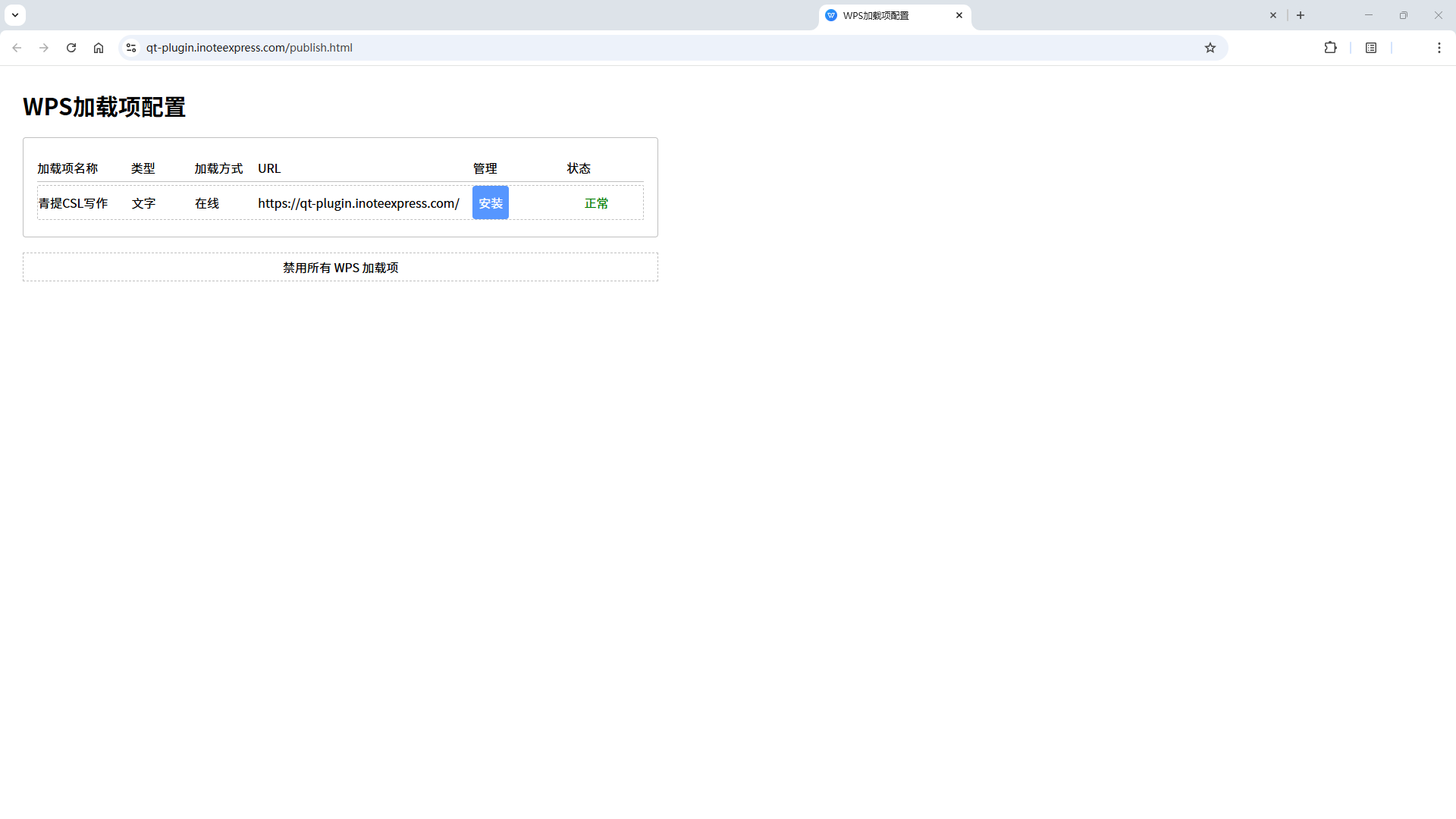
• Access: https://qt-plugin.inoteexpress.com/publish.html
• Click Install and follow the prompts. If a security pop-up appears, choose to Trust it.
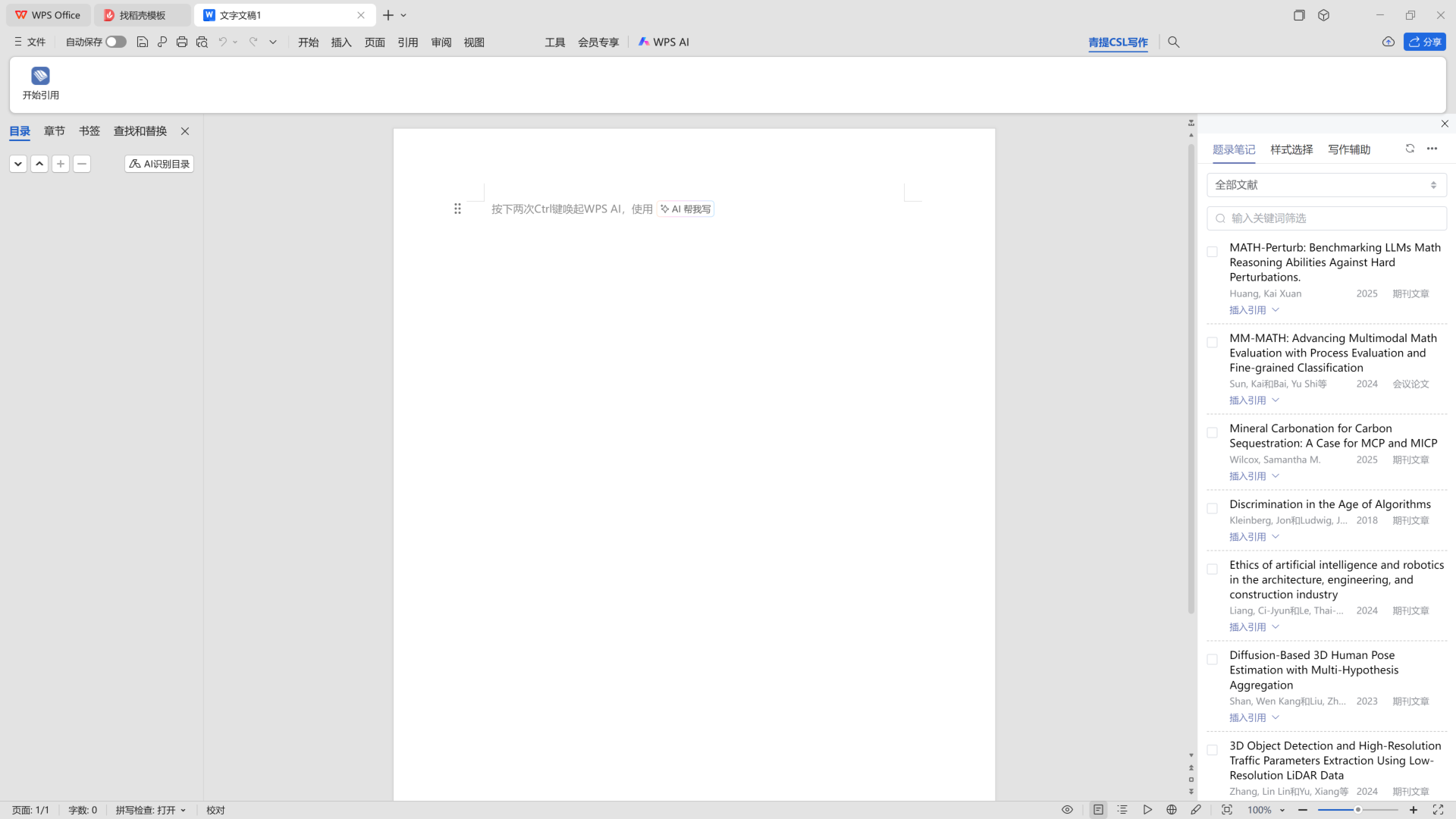
• Restart WPS, then select “青提CSL写作” to start citing.
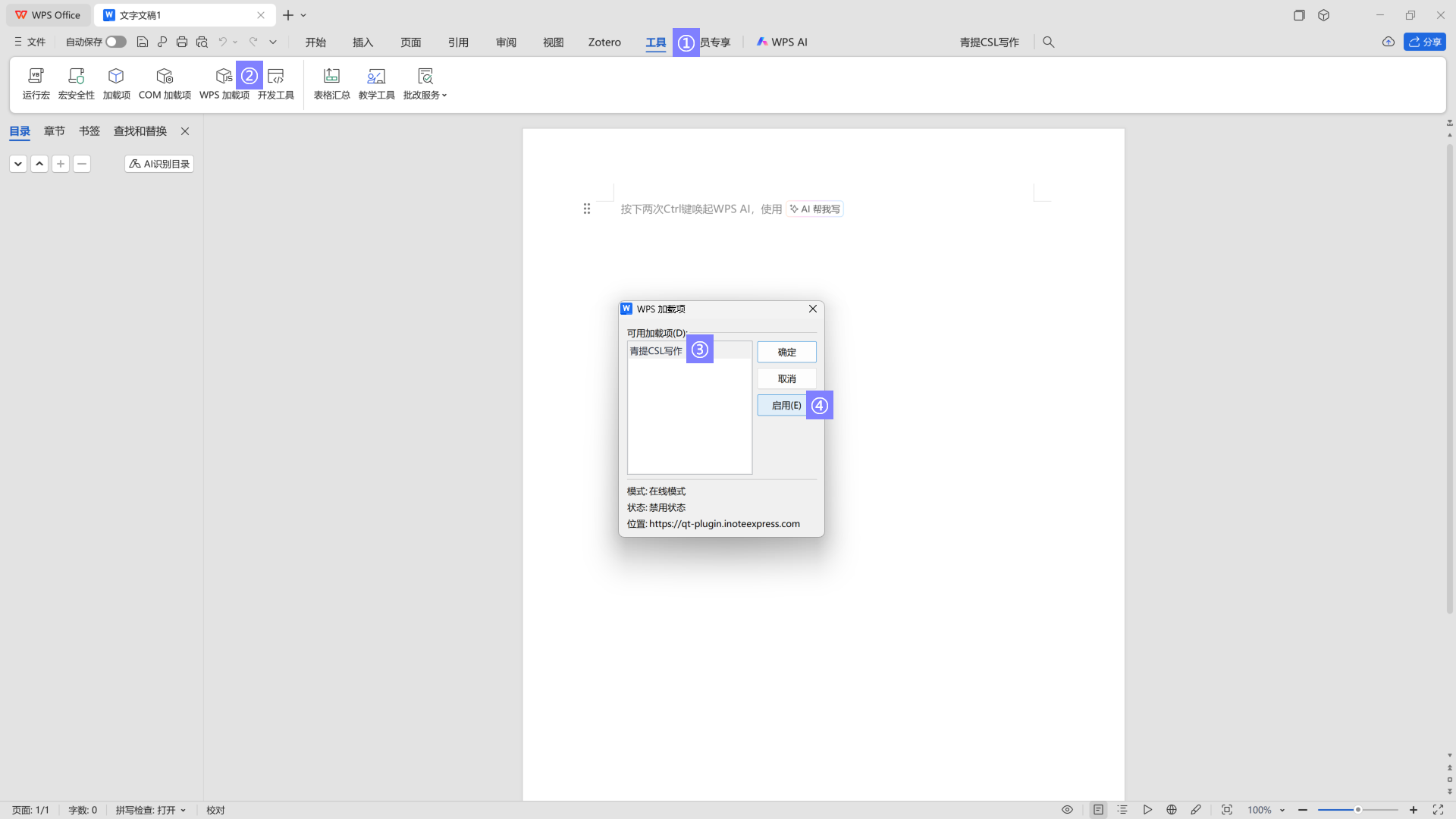
• If it does not appear initially, you can go to Tools -> WPS Add-ins -> select “青提CSL写作”, then click Enable and OK.
文档更新时间: 2025-12-15 16:02 作者:管理员
