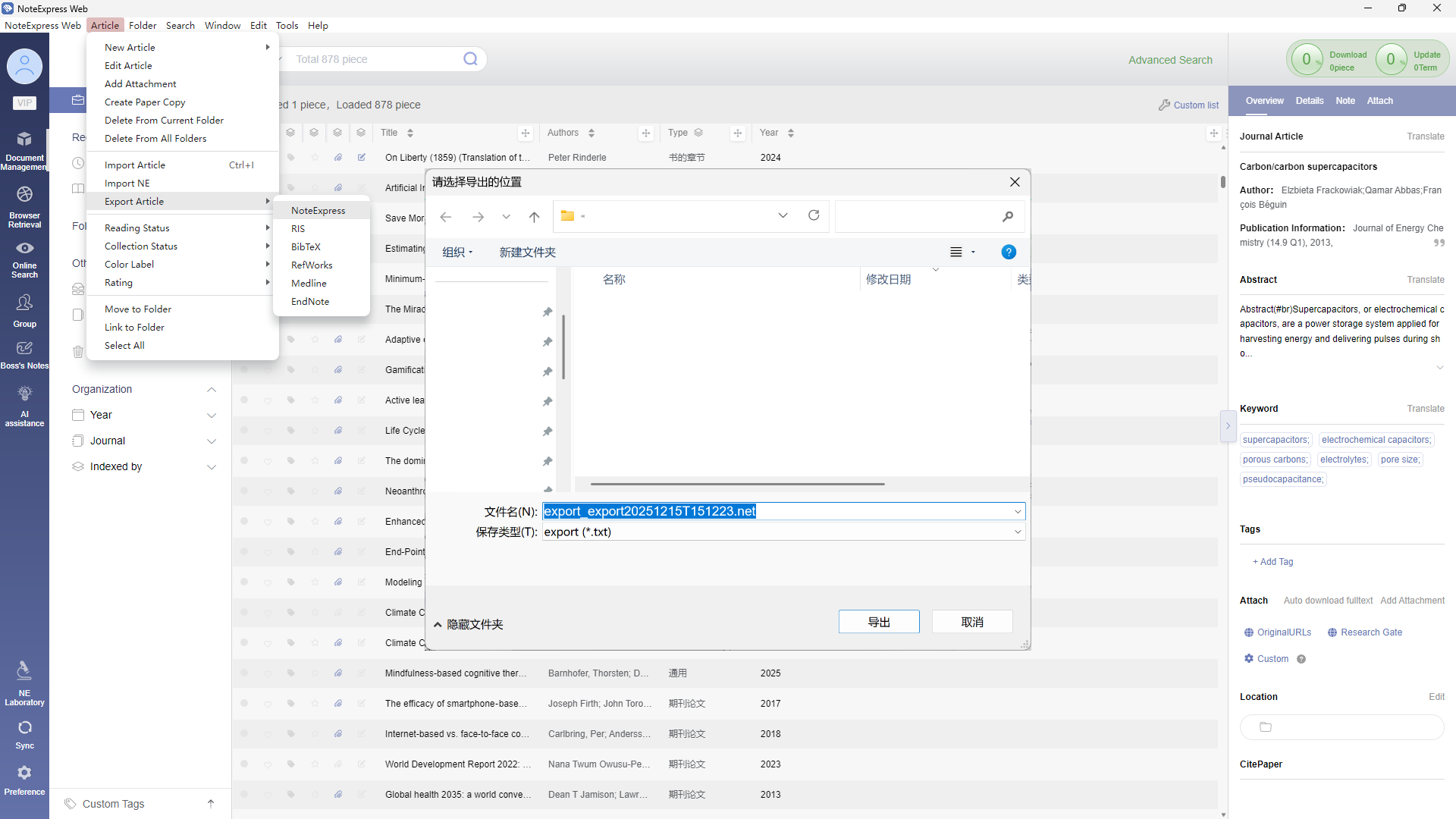
In the Article menu, select Export Article to batch export literature information in the appropriate format.
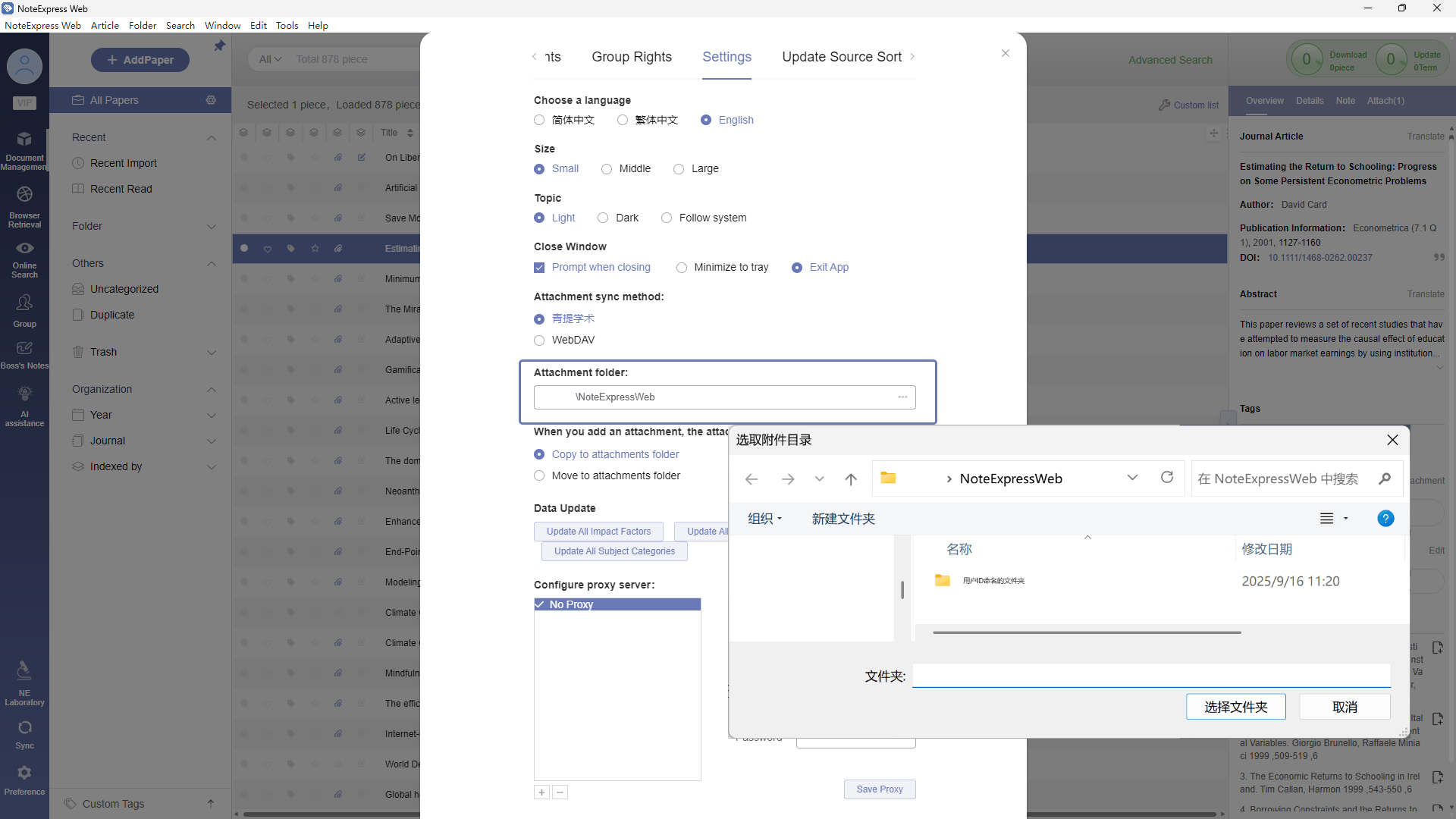
Navigate to Software Settings > Settings > Attachment Folder to access all downloaded full-text attachments within the current library.
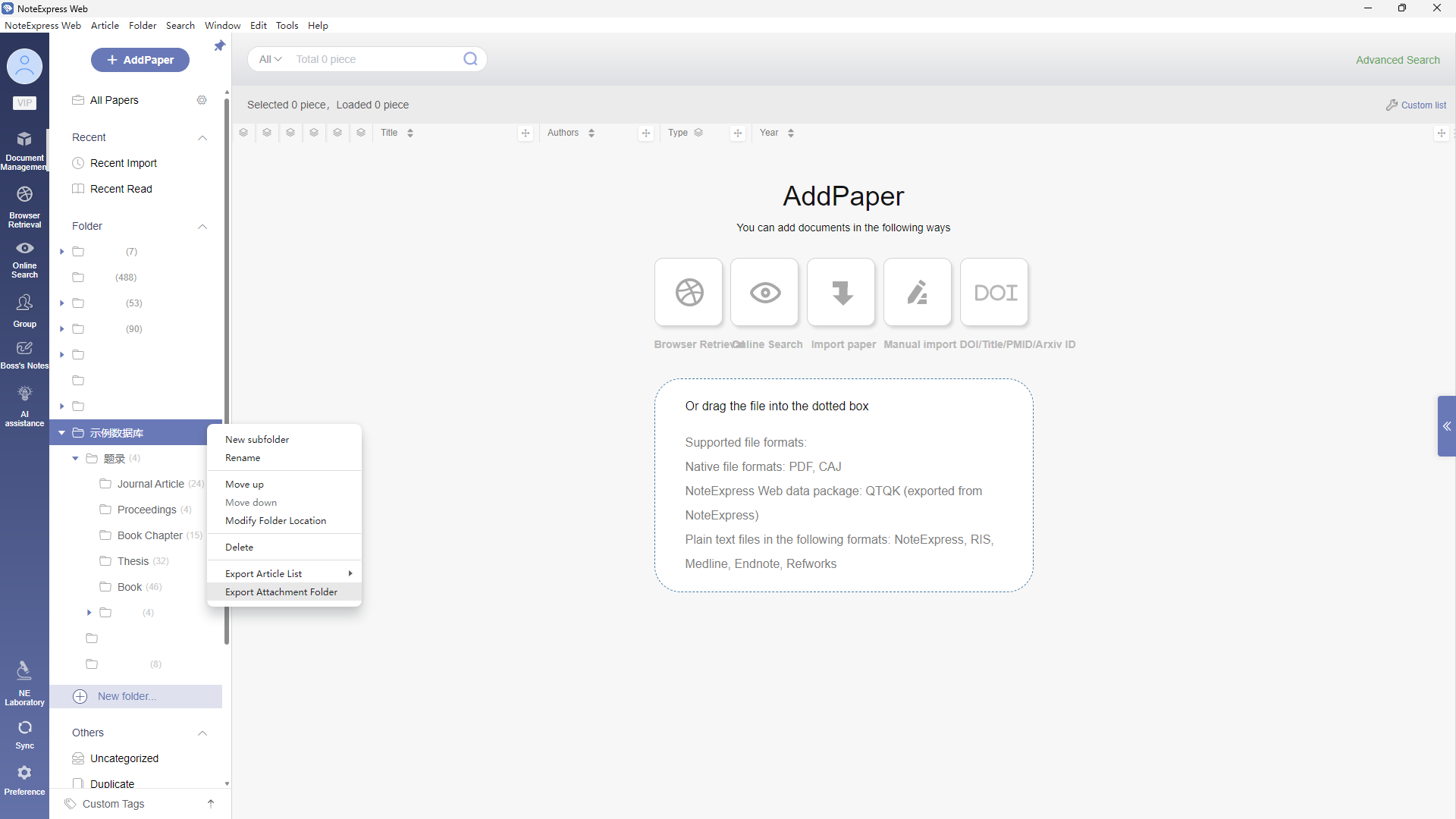
By right-clicking on a folder, besides exporting the entries within the current folder list as formatted files of a selected type, it also allows you to Export Attachment Folder.
This function packages all attachments downloaded locally within that folder and its subfolders, preserving the original folder hierarchy.
文档更新时间: 2026-06-04 19:13 作者:管理员
