Source: 手动添加附件
Method 1: Drag and Drop
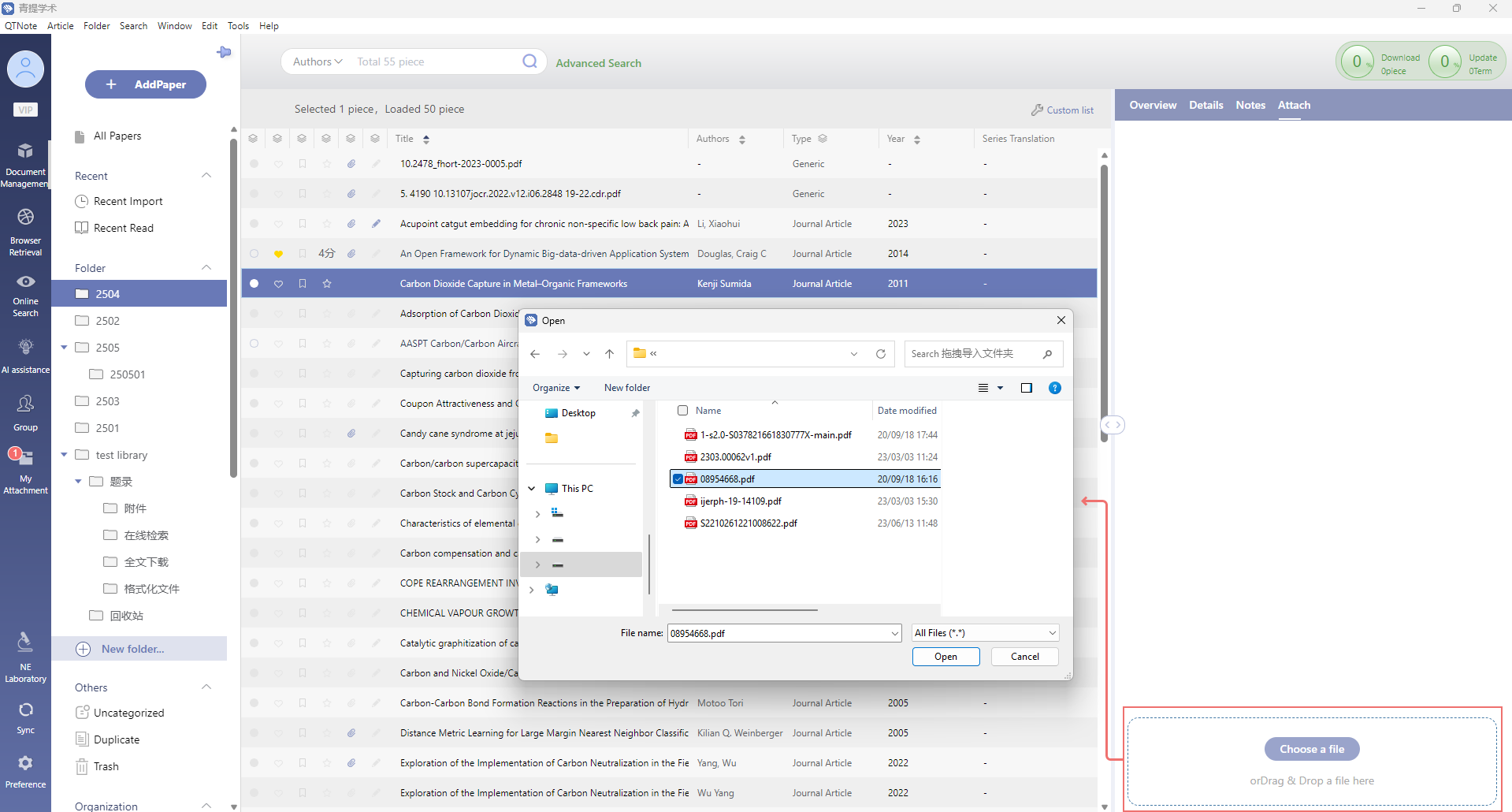
Drag the file directly onto the “Manual Upload” dashed area in the Attachments panel.
Method 2: Browse and Select
- Click “Select File”
- In the dialog that appears, choose the file(s) you want to add
- Click Open to confirm
You can also click “Add Attachment” in the Overview panel, or click “Manual Upload” in the Attachments panel to initiate this process.
文档更新时间: 2026-06-04 17:23 作者:管理员
