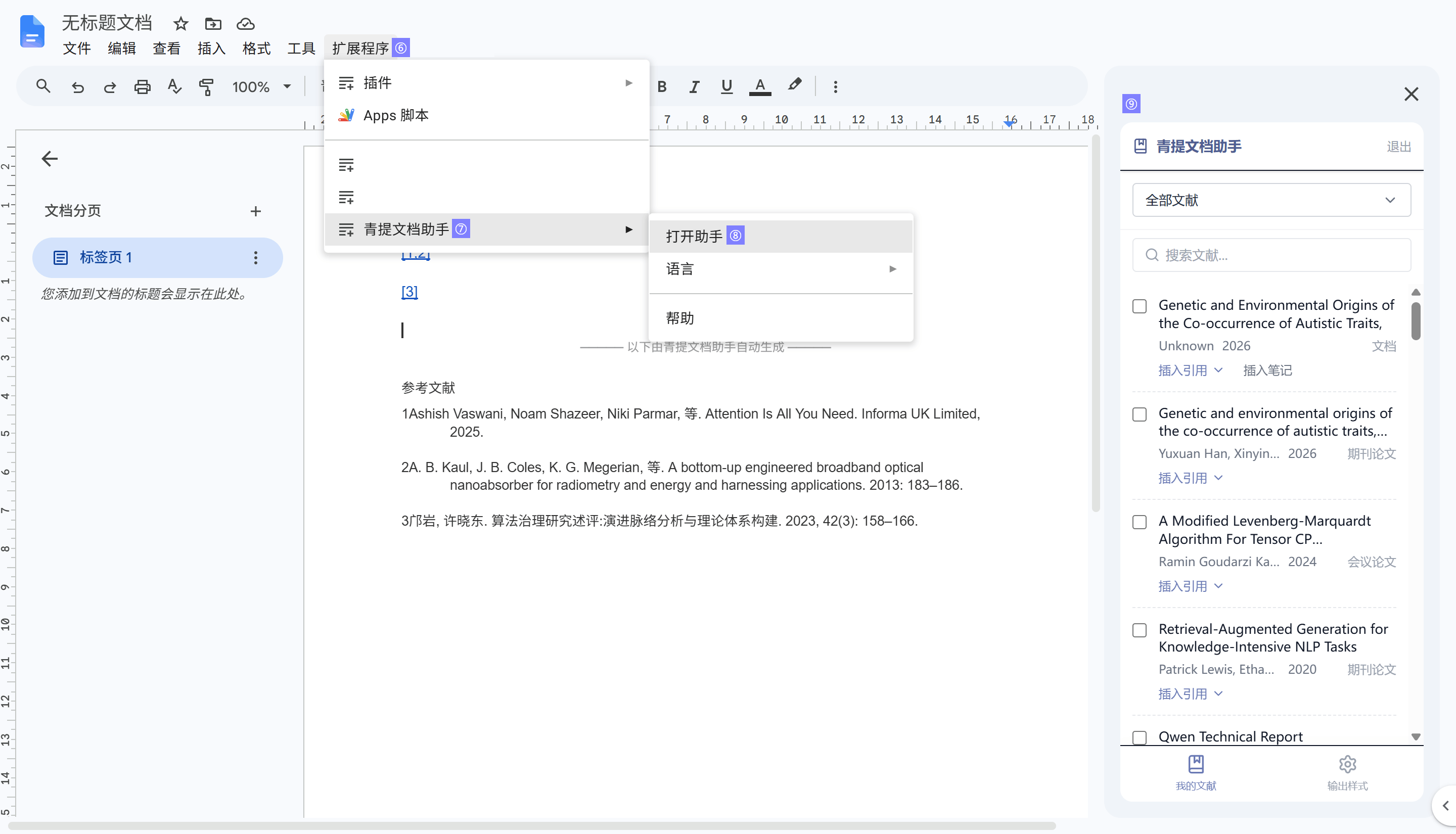
The Windows operating system supports using the CSL writing plugin in Microsoft Word, WPS Word, and Google™ Docs (browser-based).
Microsoft Word
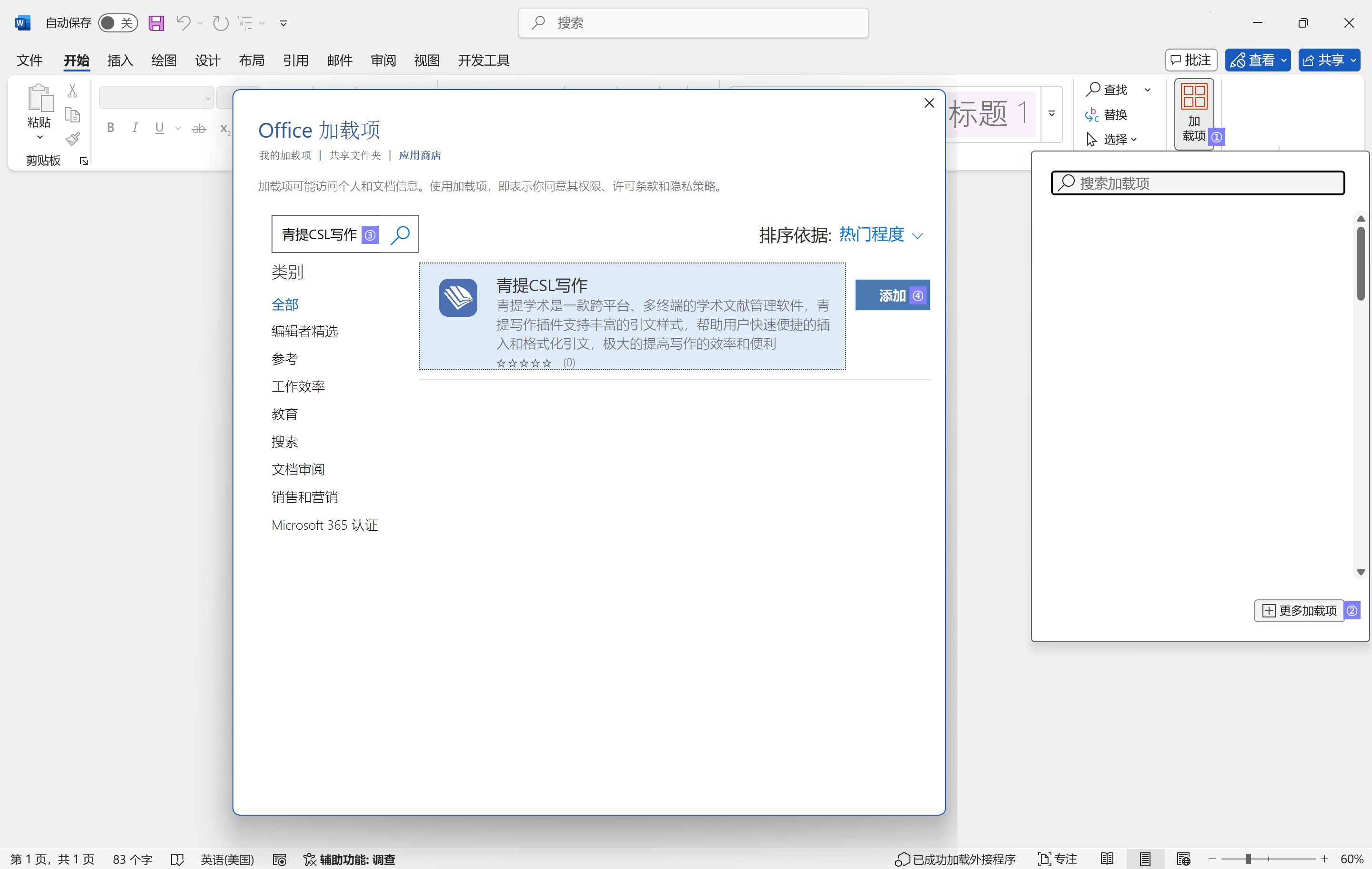
Open Microsoft Word, click on the Add-ins tab in the top ribbon, then select More Add-ins to open the App Store.
Search for “青提CSL写作”, and click Add to install it.
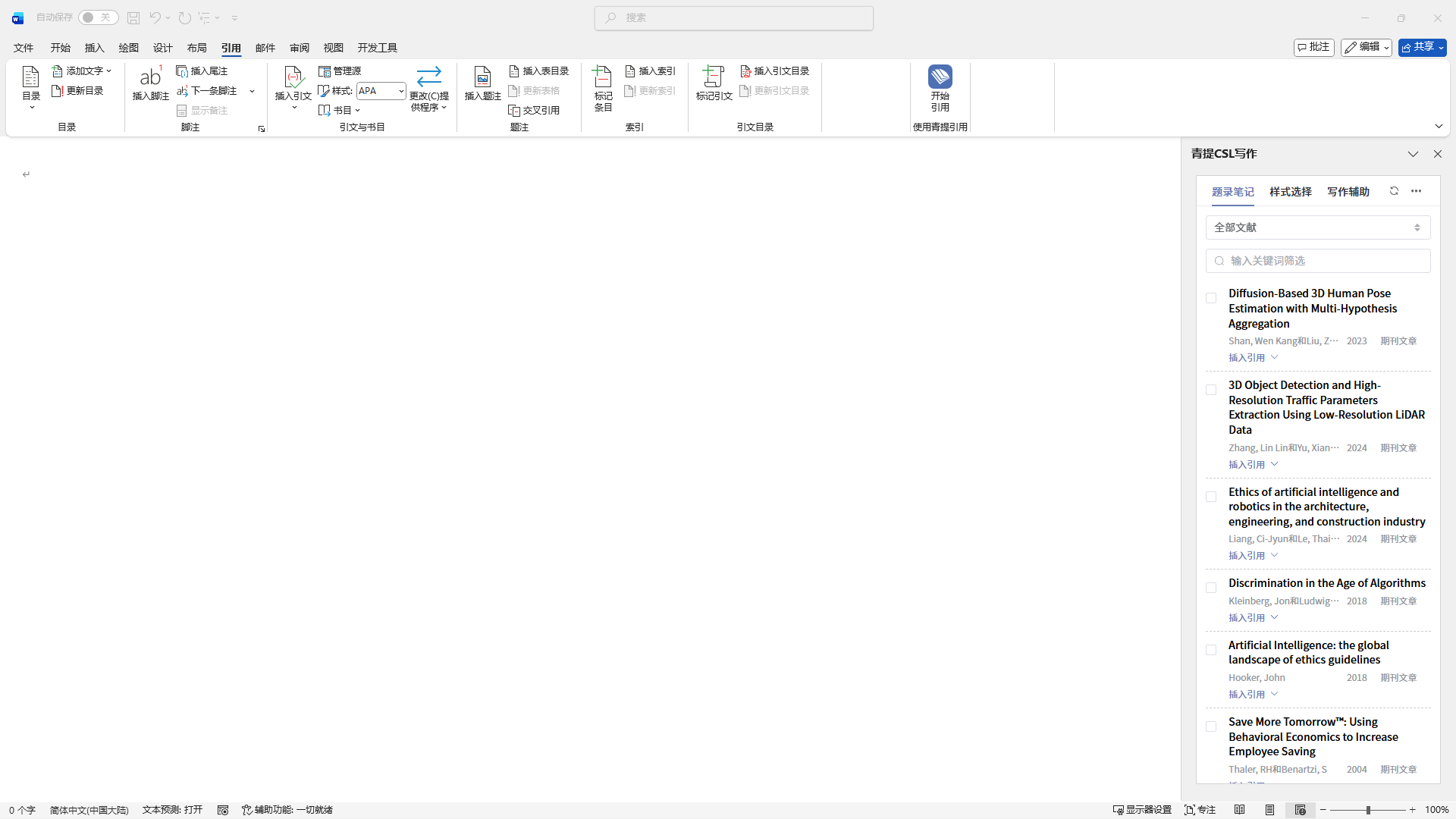
The first time it is added, the plugin will automatically open on the right side. If it is closed in the sidebar, you can re-enable it from the References tab.
It can also be obtained by Accessing the Store.
WPS Word
In the software, go to the Tools menu > CSL Plugin Management, and click the “安装” button corresponding to WPS to complete the installation.
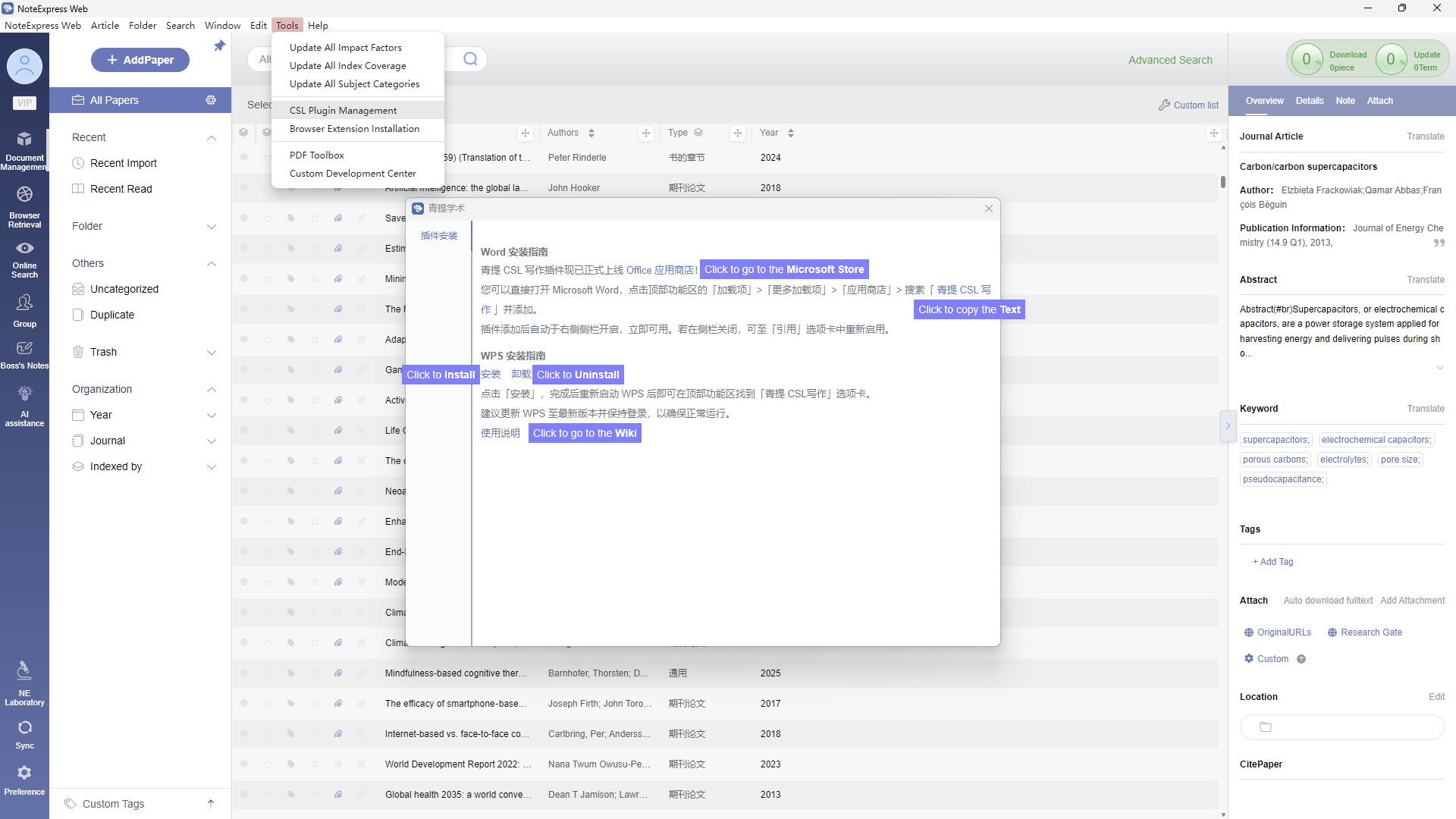
If the installation does not take effect, you can try the following steps:
• Access: https://qt-plugin.inoteexpress.com/publish.html
• Click Install and follow the prompts. If a security pop-up appears, choose to Trust it.
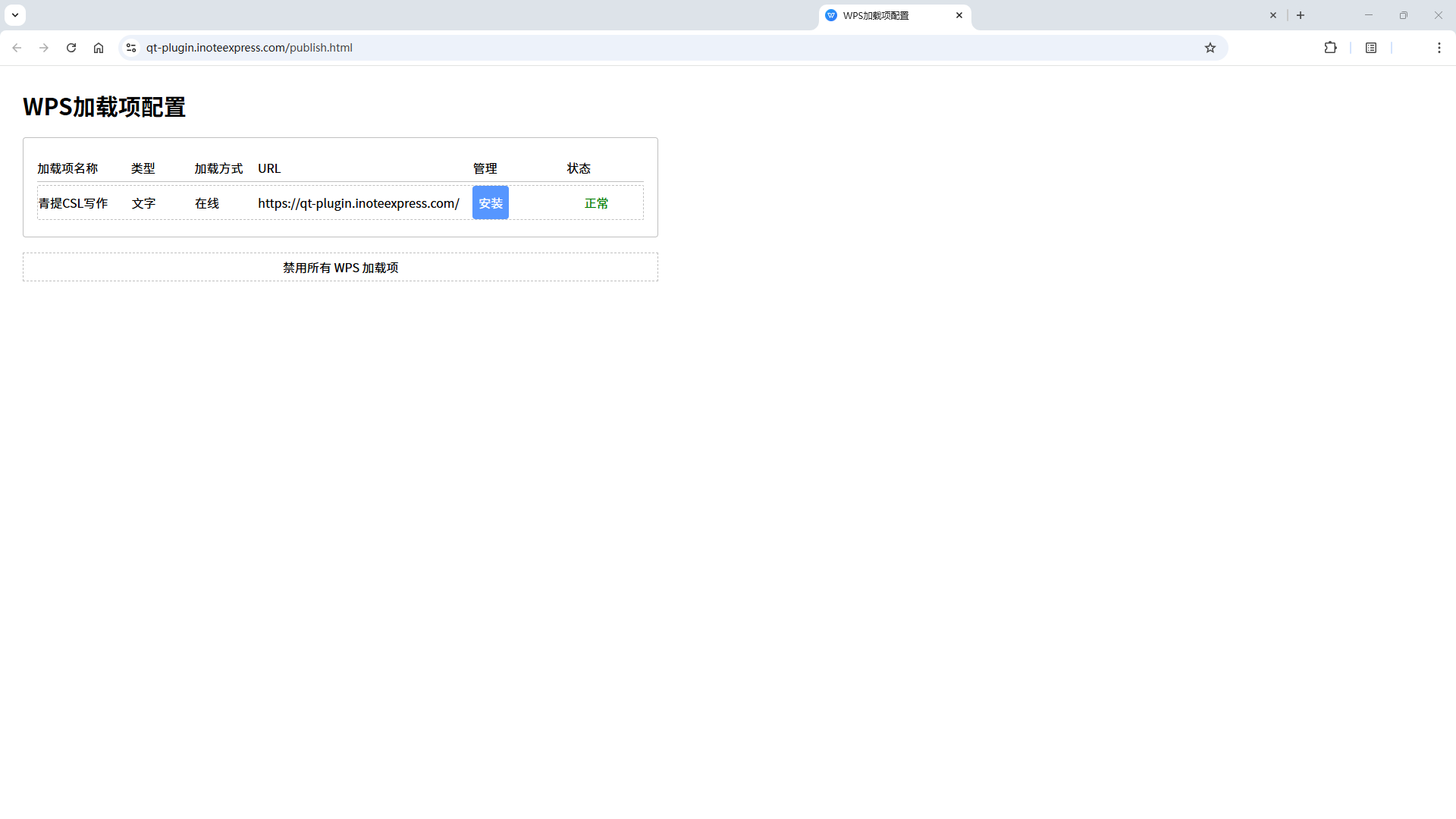
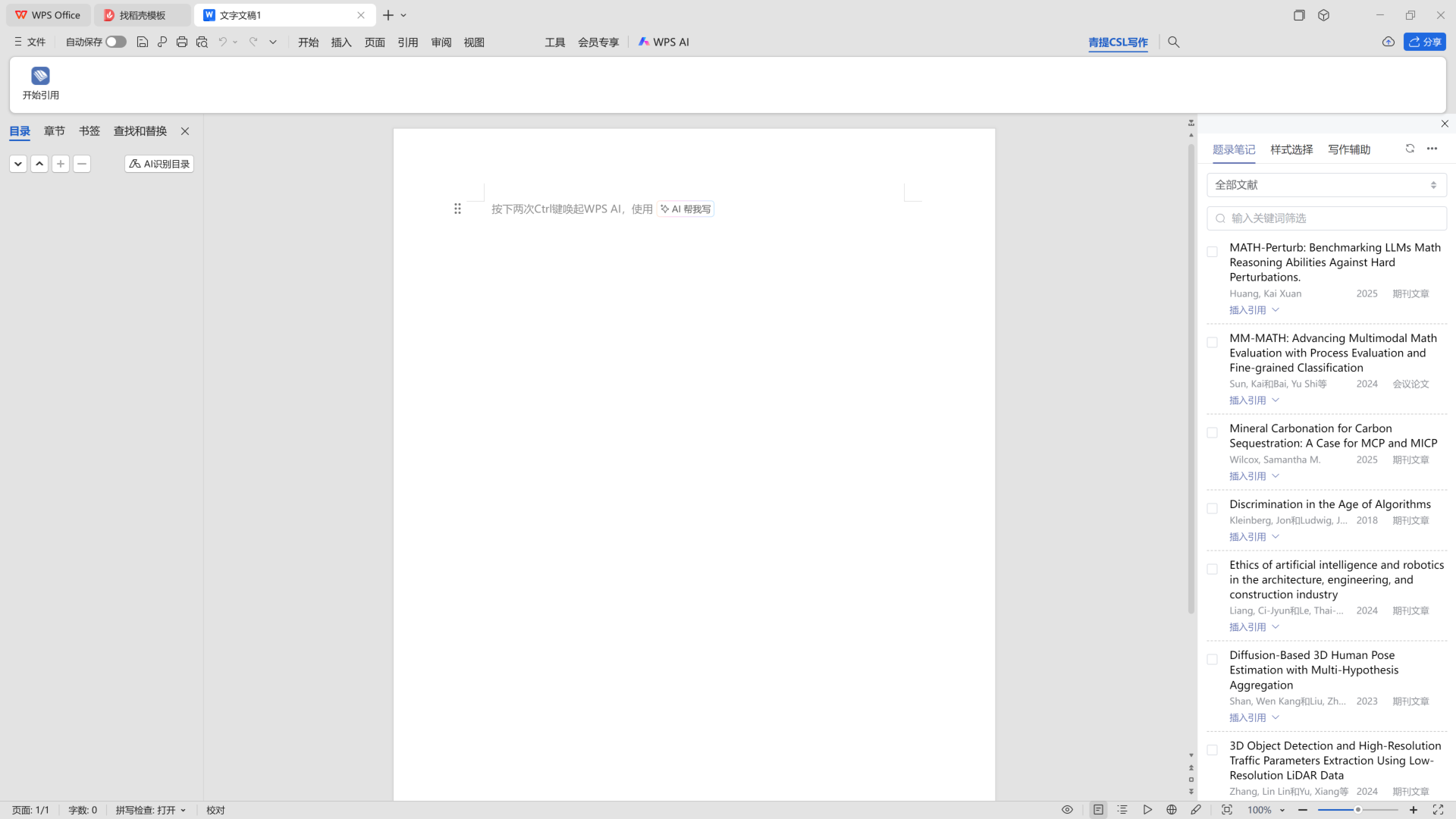
• Restart WPS, then select “青提CSL写作” to start citing.
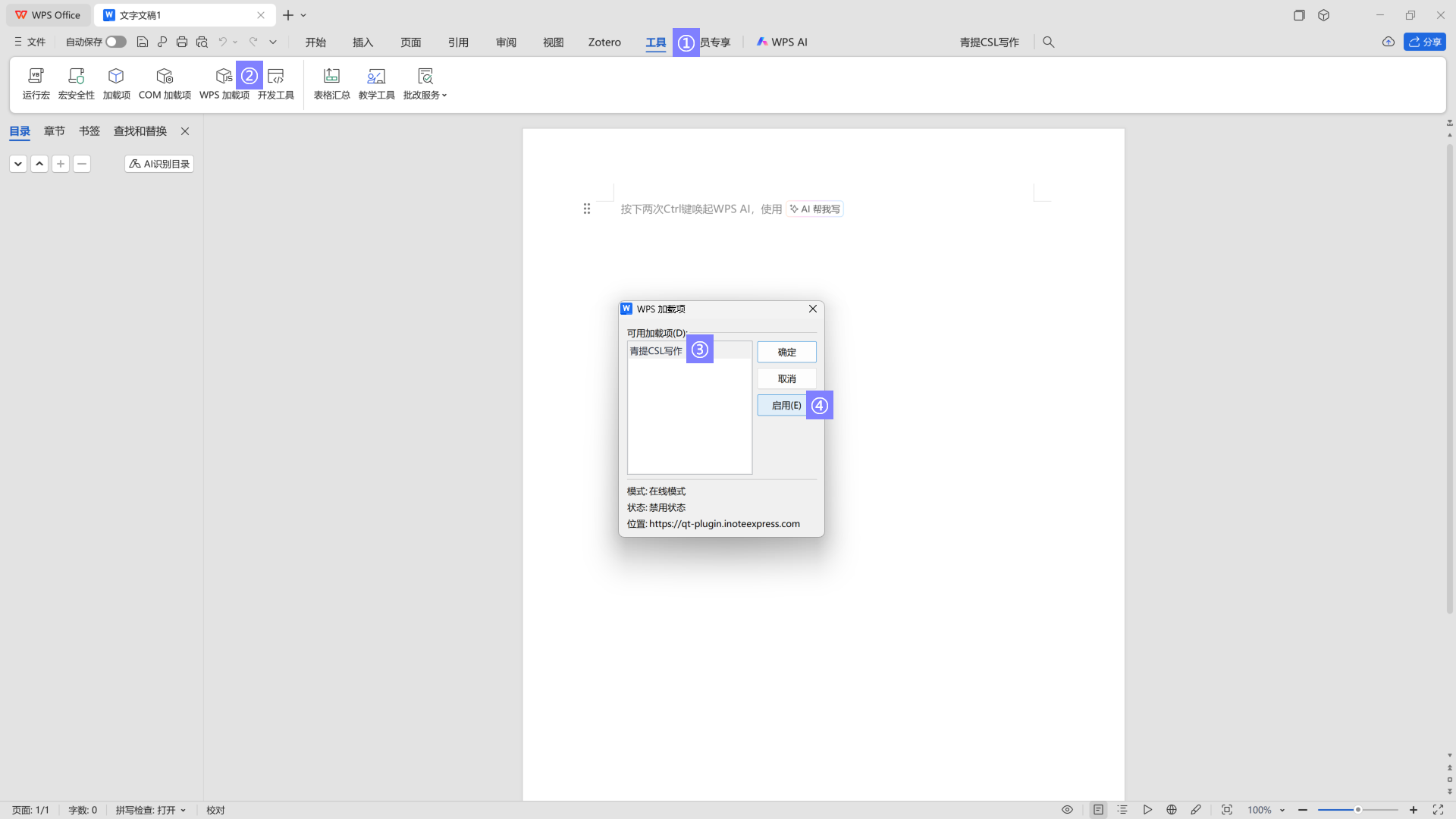
• If it does not appear initially, you can go to Tools -> WPS Add-ins -> select “青提CSL写作”, then click Enable and OK.
If you cannot find the WPS add-in, please try again after logging into your WPS account.
Google™ Docs
Open a Google™ Docs document, then go to Extensions > Add-ons > Get add-ons from the top menu to open the Google Workspace Marketplace. Search for and install NoteExpress Web.
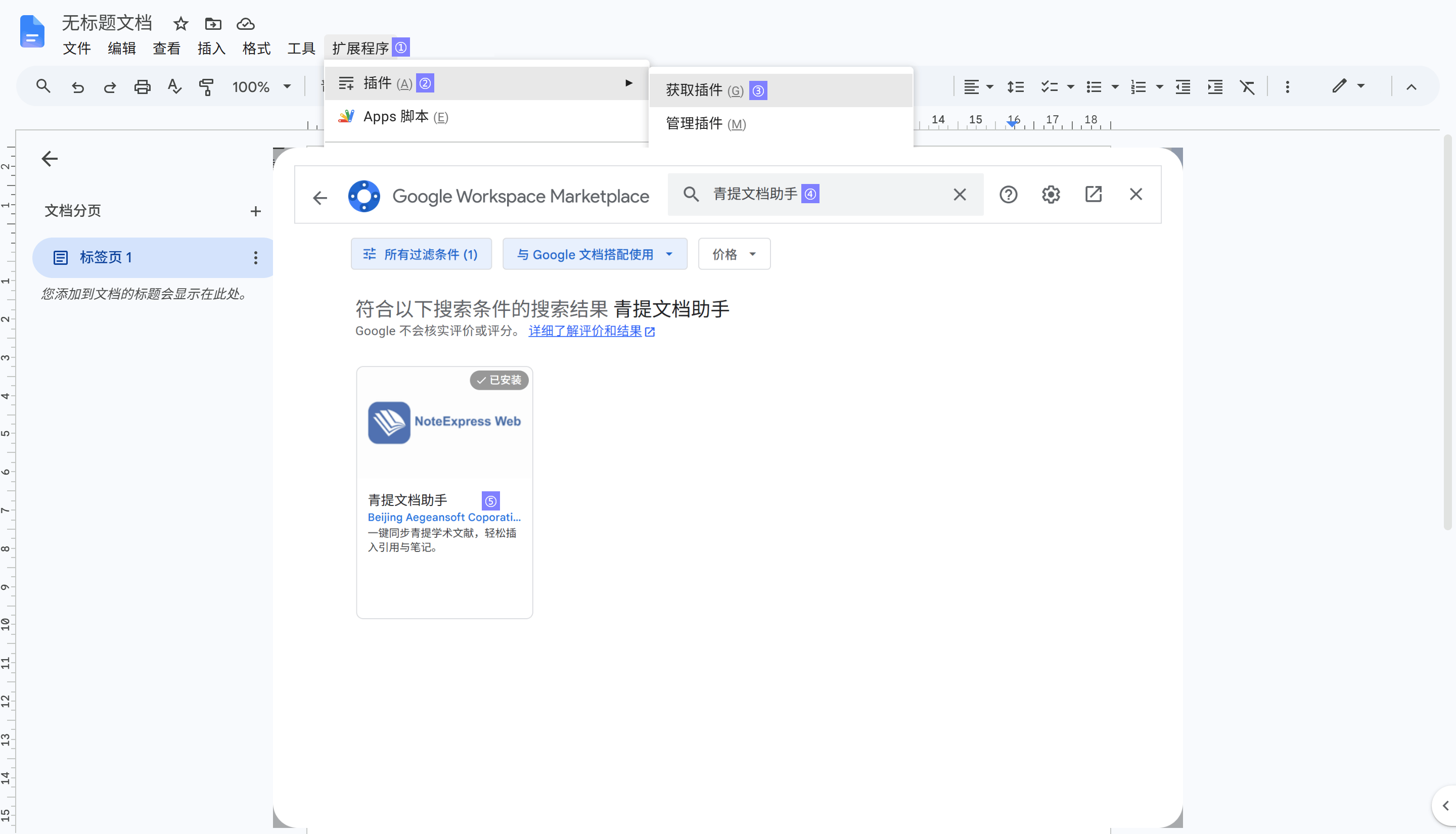
After installation, go to Extensions > NoteExpress Web > Open Assistant.