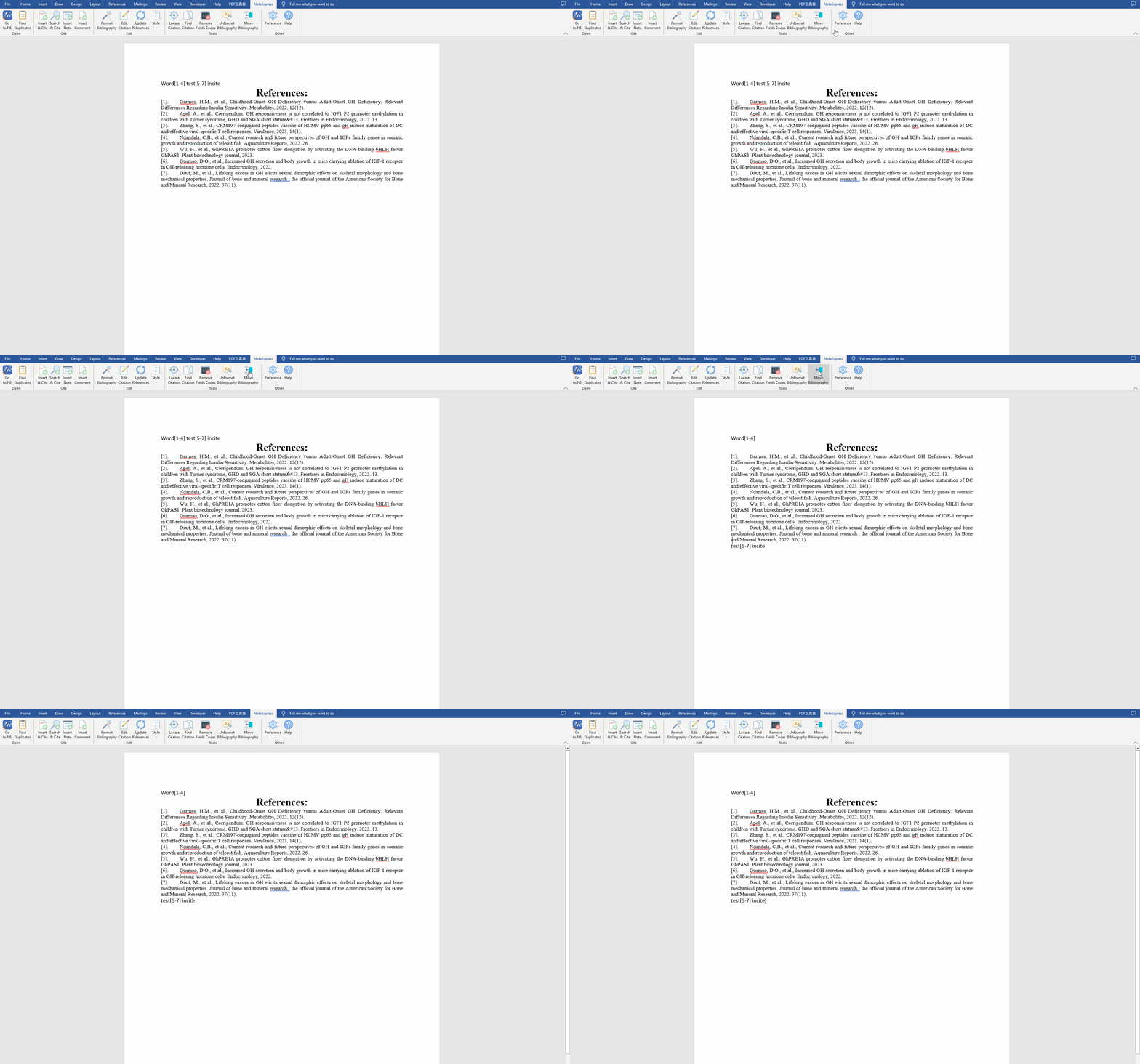
目录 搜索 IntroductionYour NoteExpress LibraryPart Ⅰ: Adding ReferencesAdd Local PDF DocumentsOnline SearchImport from Other SoftwareWeb ImporterMannually Create an EntryPart Ⅱ: Organizing ReferencesSearch within the Database AttachmentsFind the DuplicateUse the Default FiltersTags and FilteringManage AttachmentsRead, Highlight & AnnotateUse Smart FoldersUse Search to Retrieve ReferencesPart Ⅲ: Writing & CitingWhat's NoteExpress Plugin?Install NoteExpress PluginInsert a CitationCitation StylesGenerate a BibliographyChange Citation StylesMerge Citations and Add Multiple CitationsEdit CitationsRelocate the bibliographyInsert Sections and Create BibliographiesPart Ⅳ: Data Analysing 暂无相关搜索结果! 本文档使用 MinDoc 发布 Relocate the bibliography Leave the cursor flashing where you would like the bibliography to appear. Click the NoteExpress tab at the top of the screen. Click Move bibliography to relocate the bibliography. 文档更新时间: 2023-04-21 13:27 作者:huluyi
Leave the cursor flashing where you would like the bibliography to appear. Click the NoteExpress tab at the top of the screen. Click Move bibliography to relocate the bibliography. 文档更新时间: 2023-04-21 13:27 作者:huluyi